
Complete guide
Best Ergonomic Chair in Malaysia
Compare fit, movement, support systems and buying priorities.
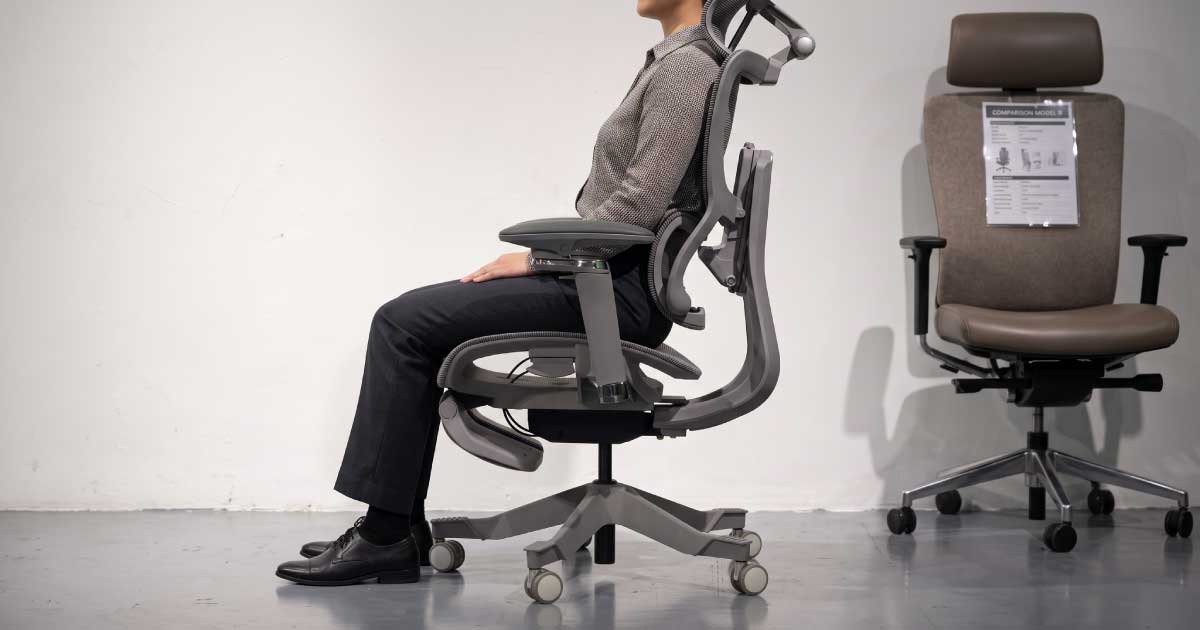
The feature list tells you what a chair has. These questions help you discover whether those features actually work for your body.
Choose by fit—not by labels, adjustment counts or marketing claims.
Before buying an ergonomic chair, ask whether its seat, lumbar support, backrest, armrests and headrest can reach your body correctly. Then consider whether the chair supports the way you actually work, move and recline.
Check whether its dimensions and adjustment ranges can reach your body.
Judge its position, pressure and response—not merely its presence.
Confirm that each adjustment reaches a position you can actually use.
Notice pressure, movement and comfort during an extended sitting test.
Test the positions and movements you use during a normal day.
Let your body—not the specification sheet—confirm the final decision.
Many common chair-buying questions are not necessarily wrong. They are simply too broad to confirm whether a chair will fit.
| Common question | More useful question |
|---|---|
| Is this chair ergonomic? | Can its support points reach my body correctly? |
| Does it have lumbar support? | Where does the lumbar support contact my back, and how does it feel? |
| How many adjustments does it have? | Do those adjustments cover the ranges I need? |
| Is it suitable for long hours? | How does my body feel after sitting in it for an extended period? |
| Is it good for work or gaming? | Does it support the positions and movements I actually use? |
A chair can have an ergonomic label, multiple adjustments and a long feature list—and still be unsuitable for a particular user.
The word “ergonomic” may describe adjustable armrests, a shaped backrest, lumbar support, a headrest or a reclining mechanism. The presence of these features does not confirm that they will align with your body.
Overall height is useful for creating a shortlist, but it cannot confirm chair fit by itself.
A person with a longer torso may need a different backrest and headrest position from someone of the same height with longer legs. A shorter upper-leg length may require a shallower seat, while broader shoulders may require a different armrest and backrest arrangement.
A chair fits when its important support points can reach the correct areas of your body without forcing you to compensate.
Your feet should rest securely while your thighs remain comfortably positioned.
The seat should support the thighs without pressing behind the knees or blocking access to the backrest.
The support should meet the lower-back region rather than pressing into the middle back.
The backrest should support the torso without unnecessarily restricting shoulder movement.
The armrests should reach your forearms while allowing the shoulders to remain relaxed.
When used, it should reach the neck curve without pushing the head forward.
A chair does not fit if you must move away from its support systems to become comfortable.
One problem may be corrected through adjustment. Several problems together can indicate a mismatch between the chair and your proportions.
Asking whether a chair has lumbar support does not tell you enough.
Lumbar systems vary in height, width, shape, firmness, depth, flexibility, pressure distribution and response during recline. A large or visually prominent lumbar support is not automatically better.
What matters is where it contacts your body, how much pressure it creates and whether that contact remains comfortable as you change position.
Some users prefer firmer and more noticeable support. Others prefer broader, softer or more adaptive contact.
More adjustments can create more fitting possibilities. The number of controls is still less important than their range, position and usefulness.
A chair may advertise adjustable armrests, but they may not move low enough or close enough for a particular user. A seat-depth slider may be present, but its shortest position may still be too deep.
Do not ask only, “How many adjustments does it have?” Ask, “Can those adjustments bring the chair’s support to my body?”
Coordinates foot support, knee position and desk reach.
Helps the seat accommodate different upper-leg lengths.
Changes where and how strongly lower-back contact is created.
Allows the backrest to respond to body weight and sitting preference.
Supports the forearms across work, device use and reclined positions.
Helps the support reach the neck during reclined or relaxed sitting.
An adjustment is valuable only when it can be set correctly and used comfortably.
A chair may need some initial setup. Once adjusted, it should support ordinary position changes without demanding constant fine-tuning.
The goal is not to keep your body perfectly still. It is to create an environment where supported movement feels natural.
“Suitable for eight hours” is often treated like a fixed product specification. Long-hour comfort actually depends on a complete working relationship.
A longer trial cannot predict every future experience, but it can reveal problems that may not appear during the first few minutes.
Labels such as “office chair,” “gaming chair” and “home-office chair” describe markets more often than they describe an individual user’s behaviour.
Most people do not use one posture throughout the day. You may type upright, lean forward during focused work, recline during calls, read from a tablet, use a mobile phone or shift your weight from side to side.
Evaluate the chair against these real activities—not an idealised sitting pose used for a product photograph.
Check keyboard reach, arm support, seat depth and lumbar contact.
Check whether the backrest and armrests remain useful when you lean back.
Check whether the neck, shoulders and arms can remain comfortable.
Notice whether moving between upright and reclined positions feels smooth and stable.
Confirm that the chair can approach the work surface without obstruction.
Reach, turn and shift as you would during a normal working day.
Specifications compare dimensions, materials, mechanisms and adjustments. Reviews describe someone else’s experience. Neither can feel the chair for you.
Your immediate response is valuable, but do not judge the chair only by softness or first impressions. Check alignment, support and movement as well.
Adjusting the chair randomly can make a suitable chair feel wrong—or hide a genuine fit problem.
Online information narrows the options. Physical testing helps confirm the fit.
Reviews are useful for understanding product features, assembly, materials, mechanism behaviour, build quality, common user experiences, warranty and possible limitations.
A chair that works well for one reviewer may not suit someone with a different torso length, leg length, shoulder width, working habit or preferred lumbar feel.
Use reviews to identify what to investigate—not as proof that a chair will fit you.
Even a well-fitted chair can feel ineffective when the workstation pulls the user away from its support.
The chair, desk, monitor and input devices should work as one system. If a fixed desk requires the chair to be raised, a footrest may restore foot support—but it will not correct excessive seat depth or unsuitable lumbar and headrest positions.
An ergonomic chair can provide a more adjustable and supportive sitting environment. It cannot:
Persistent, severe or concerning symptoms should be assessed by an appropriate healthcare professional. The role of the chair is to support your body and tasks—not to serve as medical treatment.
Do not ask only what the chair has. Ask whether everything it has can work for you.
At Niture, we believe body response is more useful than marketing language.
A chair should not be selected only because it has the longest feature list, highest adjustment count, firmest lumbar support, largest headrest, softest first impression or highest price.
The right chair is the one whose seat, backrest, lumbar support, armrests, headrest and movement system work together around the user.
Words lie. Body doesn’t.
Specifications can create a shortlist. A fitting helps you recognise how shortlisted chairs differ in seat fit, lumbar character, headrest reach, armrest range and movement.
Complete guide
Compare fit, movement, support systems and buying priorities.
Body fit
Understand how torso, leg, shoulder and neck proportions affect fit.
Seat fit
Check thigh support, knee clearance and access to the backrest.
Neck fit
Learn how the headrest should reach and support the neck curve.
Lower-back fit
Compare lumbar position, pressure, shape and support character.
Long sitting
Understand fit, movement and workstation factors for longer days.
Value
Evaluate fit, useful adjustment, ownership and cost per use.
Model selection
Compare current chair families by support direction and intended use.
Showroom
See what Niture checks during a free fitting in Puchong.
Direct answers about chair fit, adjustments, testing and realistic expectations.
Ask whether the chair fits your body proportions, whether the lumbar support reaches your lower back, whether the adjustments provide sufficient range, how the chair feels during a longer test and whether it supports the ways you actually work.
Your feet should feel supported, the seat should not press behind your knees, the lumbar support should reach your lower back, the armrests should allow relaxed shoulders and the headrest should reach your neck without pushing your head forward.
There is no single feature that guarantees a suitable chair. Seat height, seat depth, lumbar position, backrest fit, armrest range, headrest contact and movement must work together around the user.
No. More adjustments can provide more fitting possibilities, but only when their ranges match your body and the controls are practical to use.
Lumbar support can be helpful when it reaches the correct area and provides a suitable amount of pressure. A lumbar system that is too high, too firm or poorly positioned may feel intrusive.
Testing is strongly recommended because dimensions and feature lists cannot show exactly how the seat, lumbar support, mesh, backrest and headrest will feel against your body.
Yes. Online specifications can help you create a shortlist. Check seat height, seat depth, dimensions, adjustment ranges, warranty and return terms carefully. Physical testing remains a more reliable way to confirm comfort and fit.
An ergonomic chair can provide a more supportive working environment, but it does not remove the need for movement, task variation and an appropriately arranged workstation.
An ergonomic chair may help create a more supportive sitting environment, but it cannot diagnose or treat a medical condition. Persistent or concerning pain should be assessed by an appropriate healthcare professional.
The first question should not be only, “Is this chair ergonomic?” Start with, “Can this chair’s support systems reach my body correctly?”
Check whether the seat fits your legs, the lumbar support meets your lower back, the armrests support relaxed shoulders, the headrest reaches your neck, the backrest supports movement and the complete chair works with your desk.
A feature list describes the chair. Your body confirms whether the chair fits.
Free walk-in fitting · Open Monday to Sunday, 11:00 AM–5:00 PM · Closed on public holidays