

Tilt Height Adjustable Table

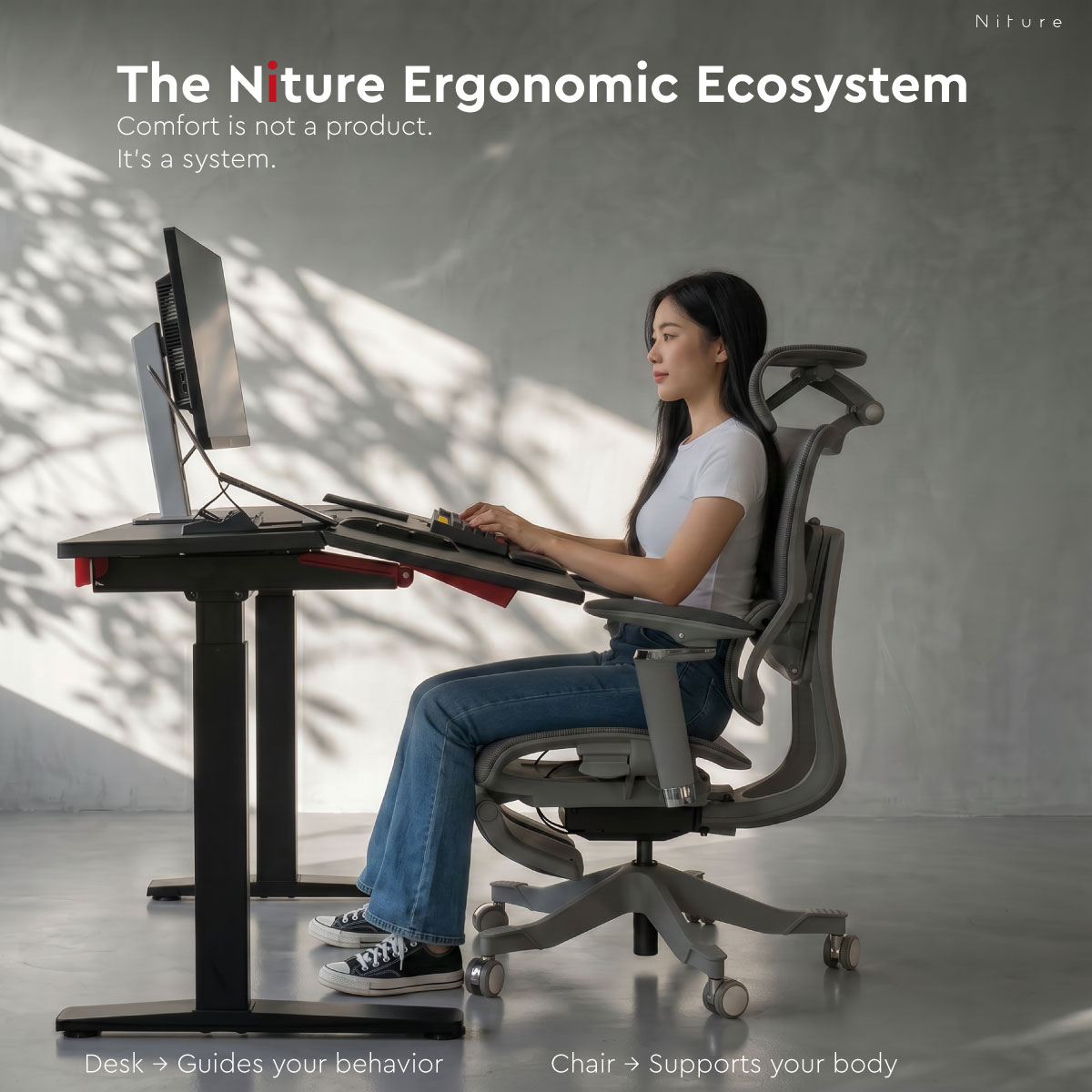
Niture Ergonomic Ecosystem

A Standing Desk That Changes More Than Height

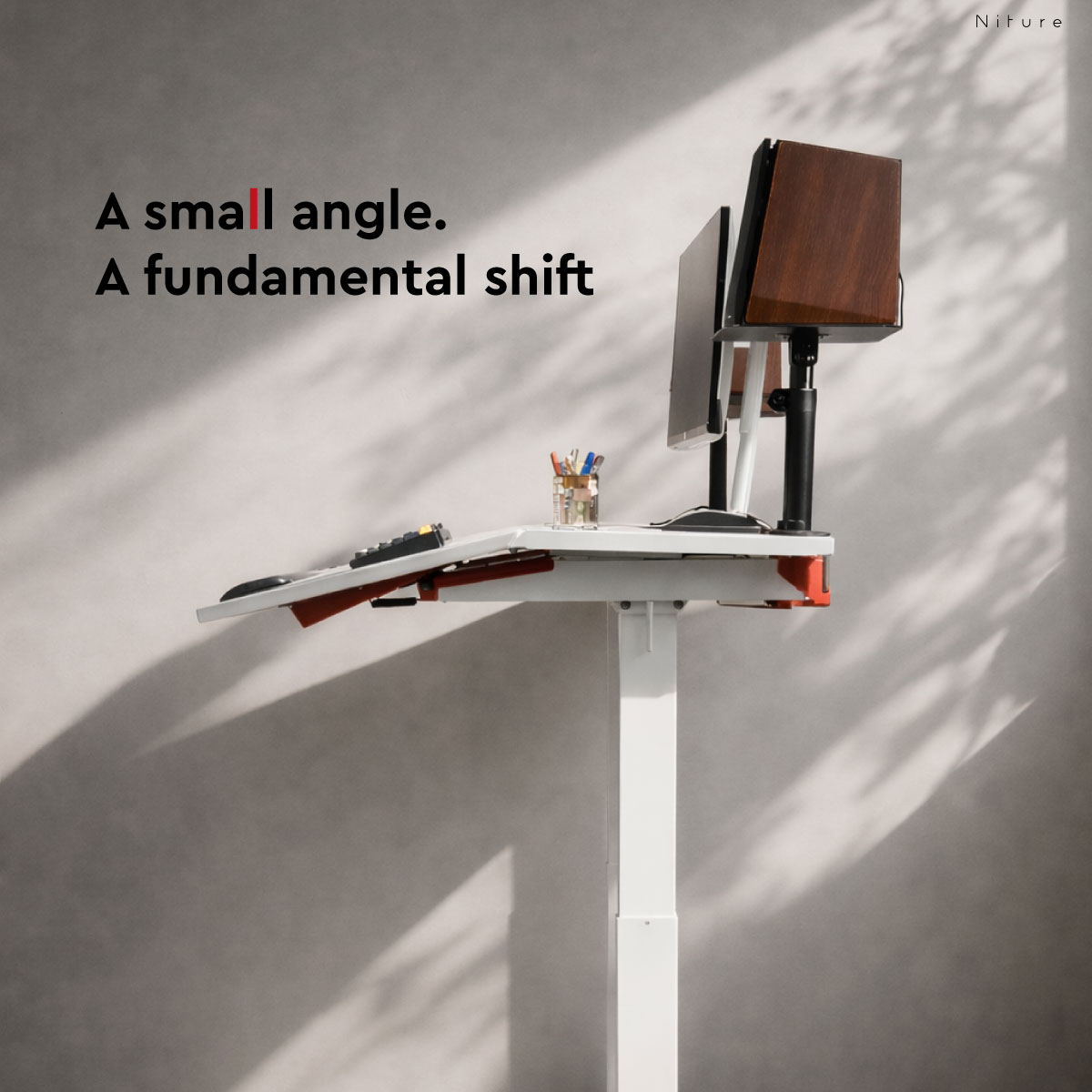
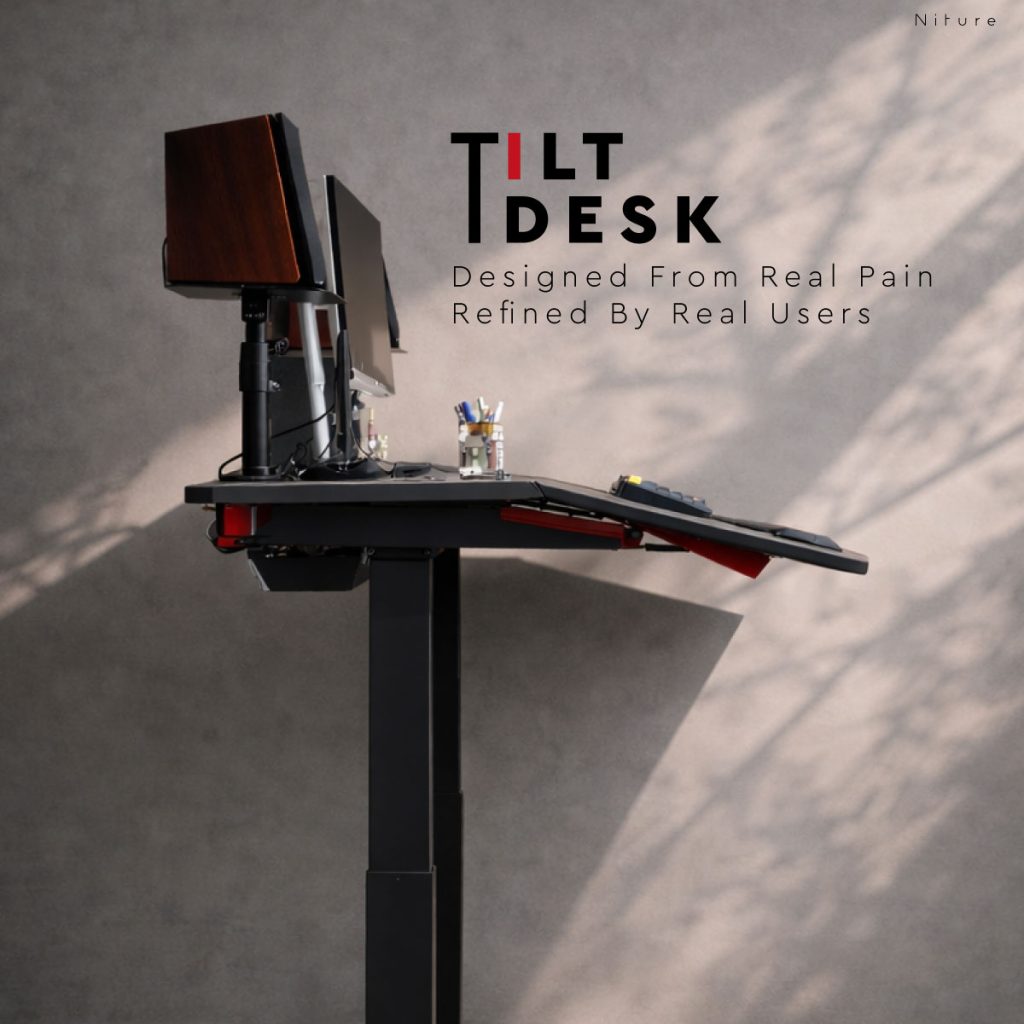
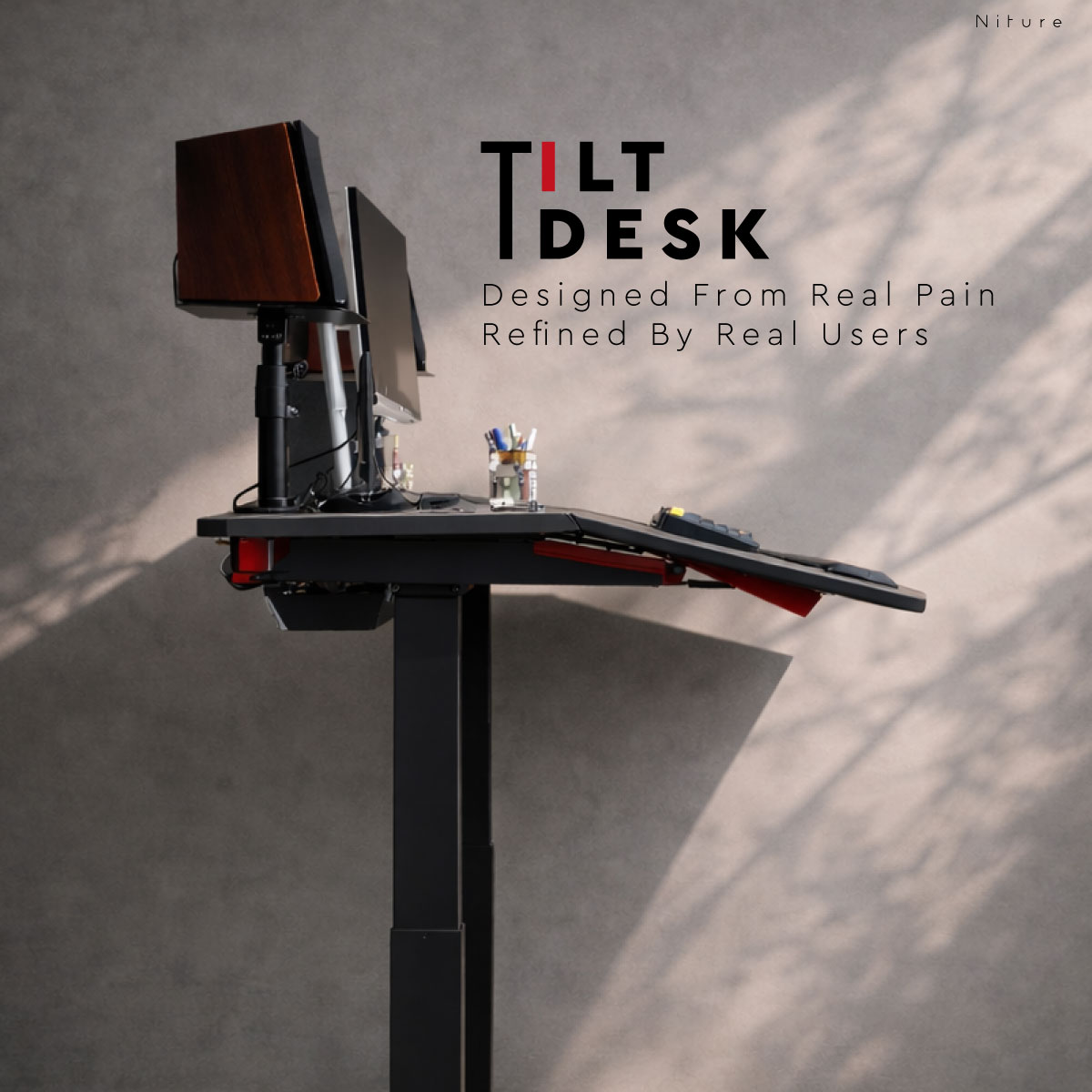
Niture TILT combines electric sit-stand adjustment with a user-adjustable 0°–15° work surface, allowing the active work zone to move closer to the body instead of making the body reach farther across a flat desk.

Use it flat for conventional desk work. Introduce a moderate angle for keyboard, mouse, tablet, reading, or focused tasks. Raise it when you want to alternate between sitting and standing.

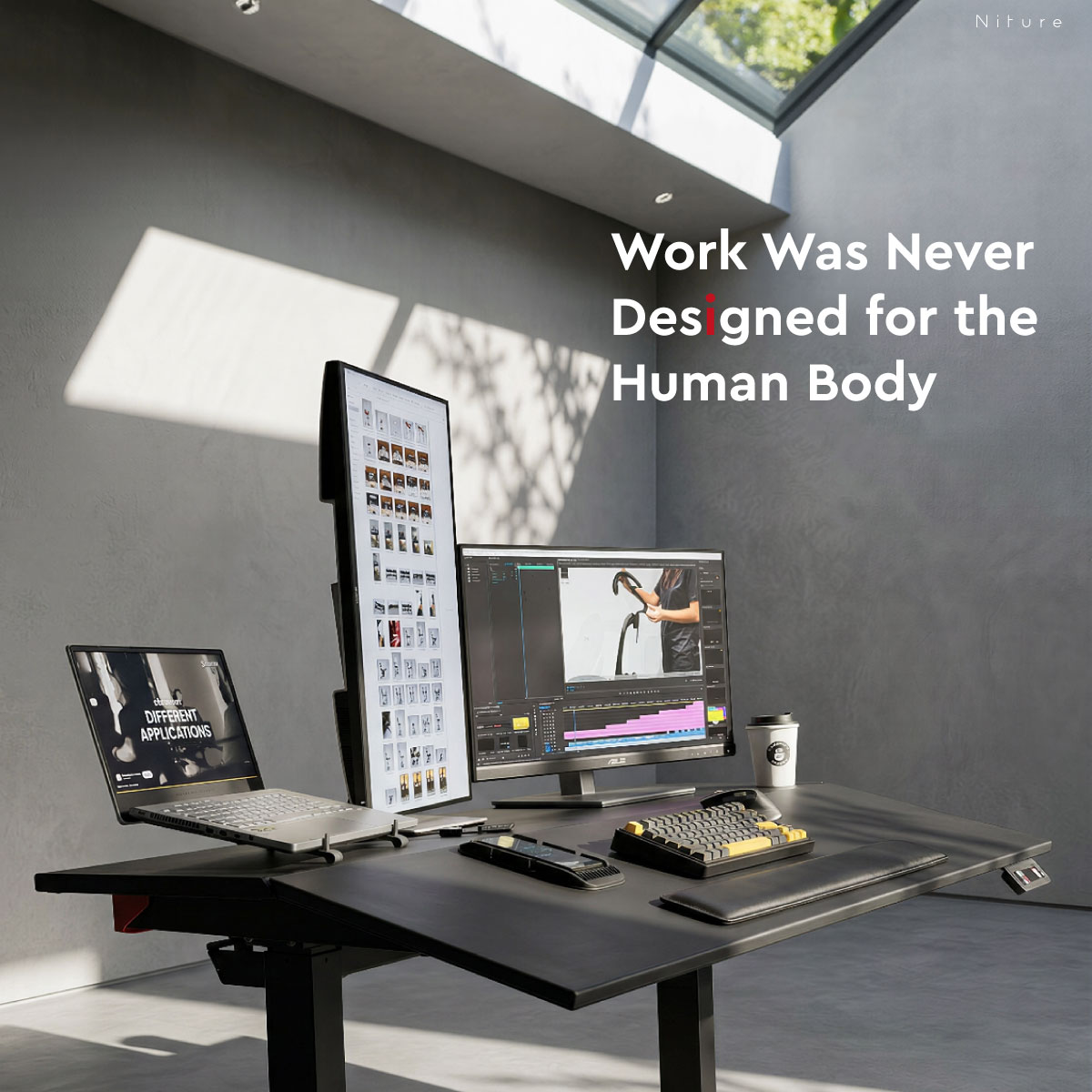
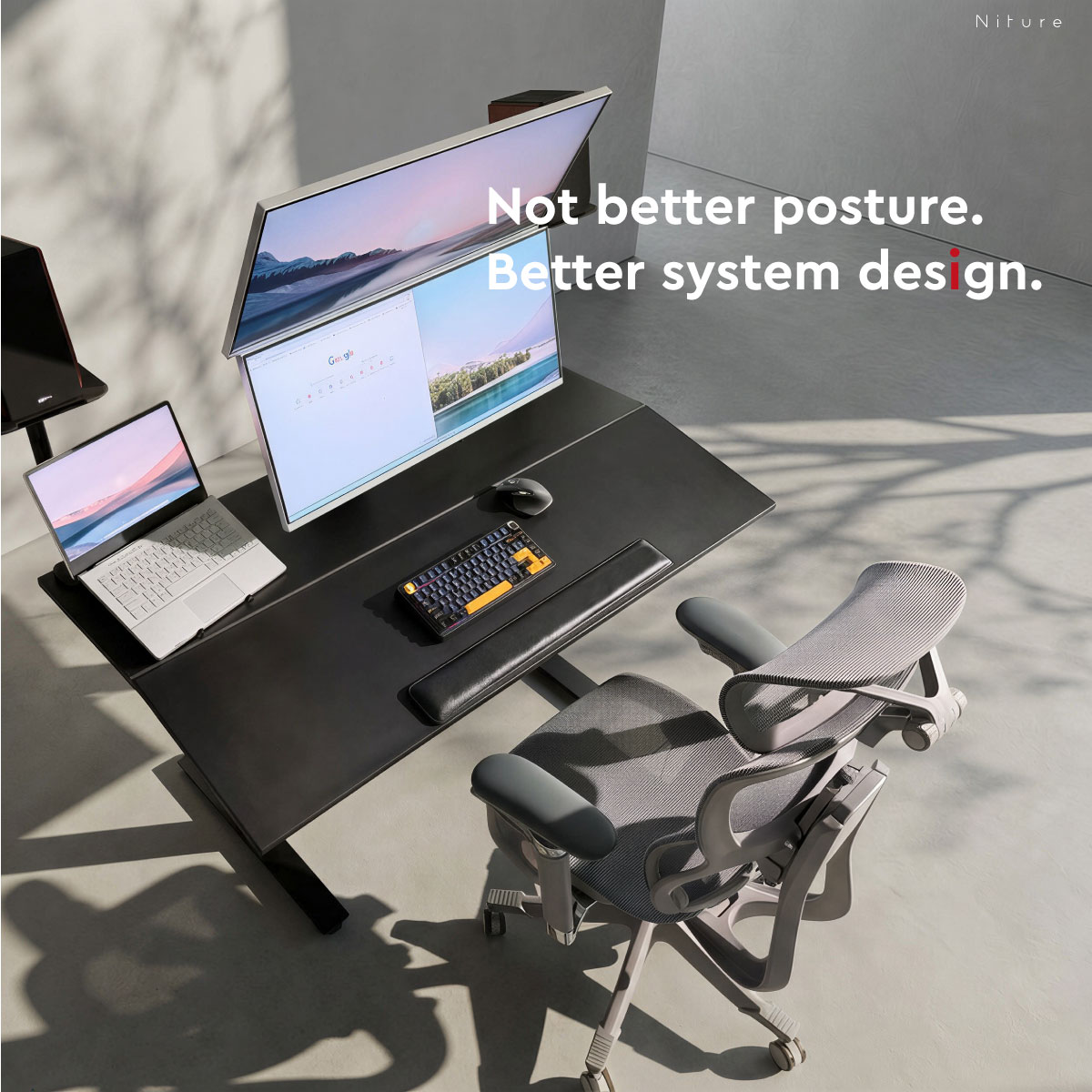
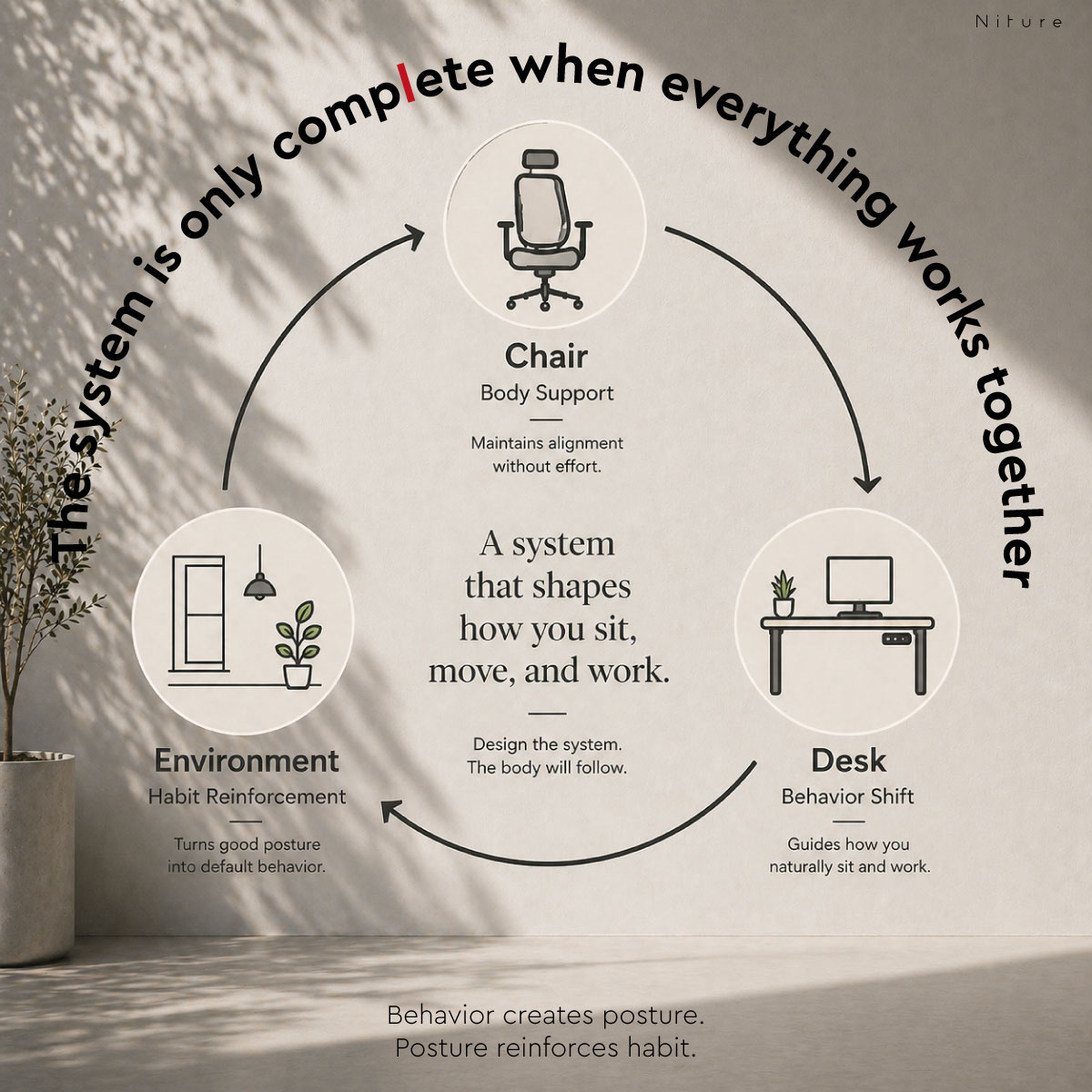
With four motors, a dual-zone surface, integrated cable organisation, and adaptive accessories, TILT is designed to connect the chair, desk, and working interface as one ergonomic workspace.

0°–15° adjustable tilt 75–122 cm height range Four-motor system Dual-zone worktop
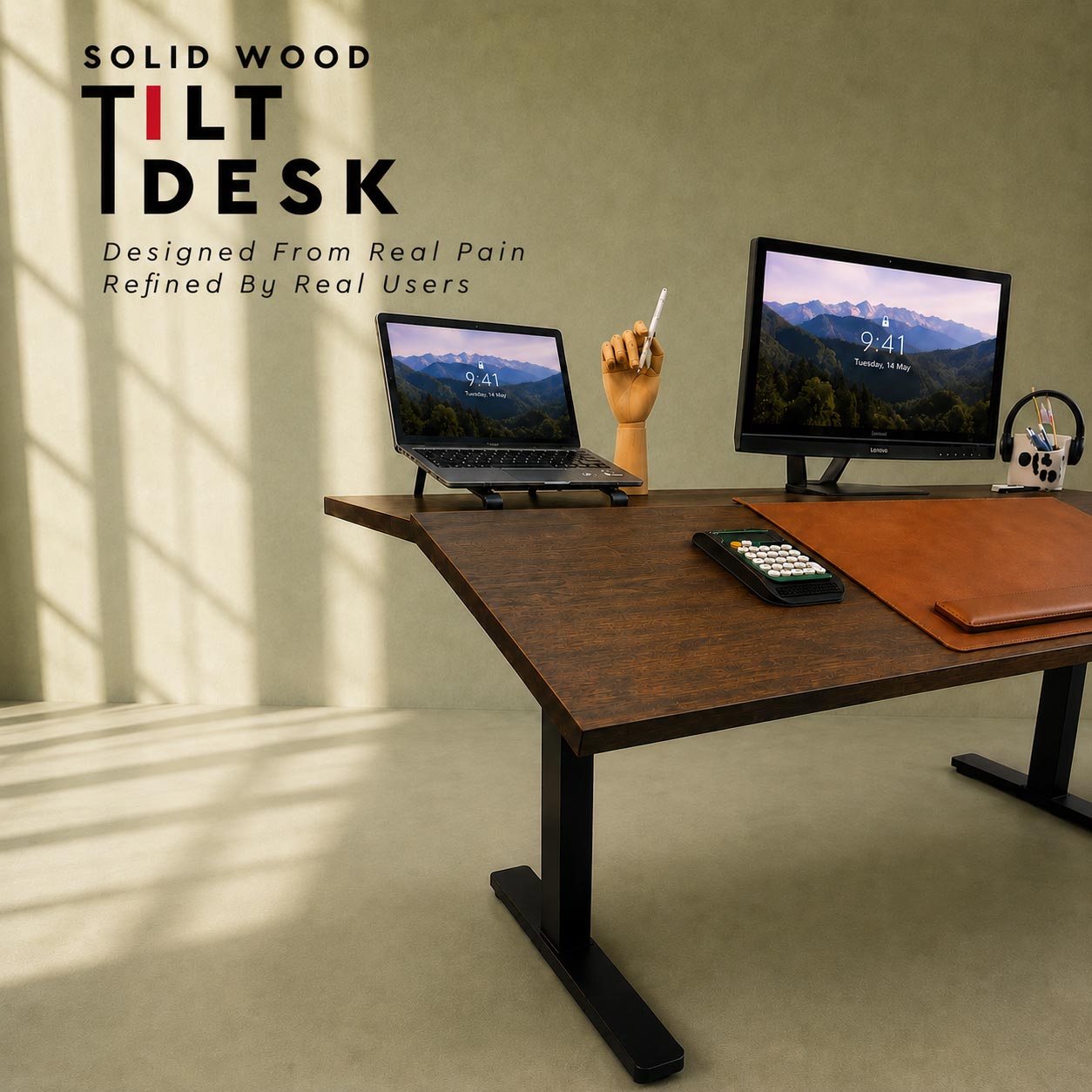
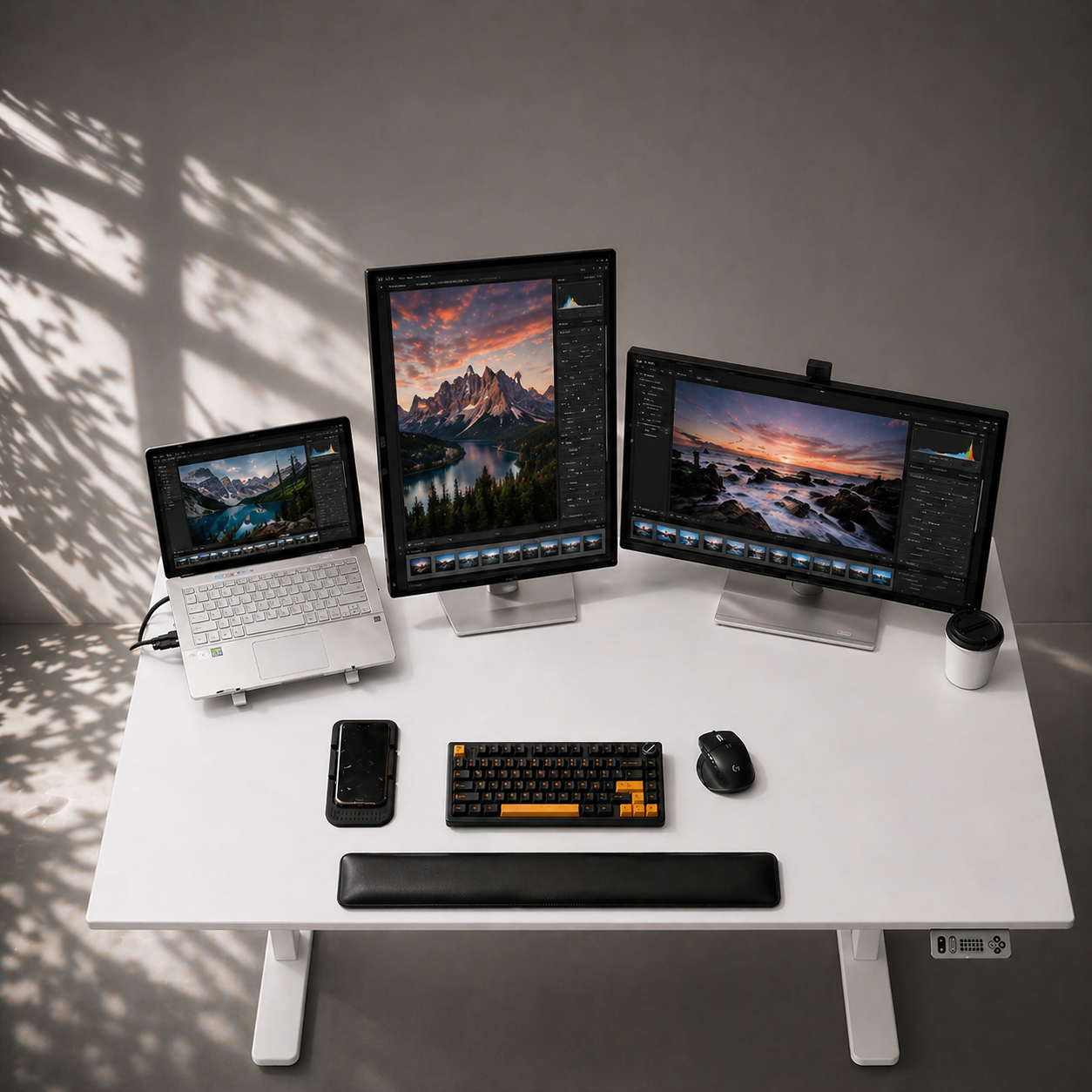
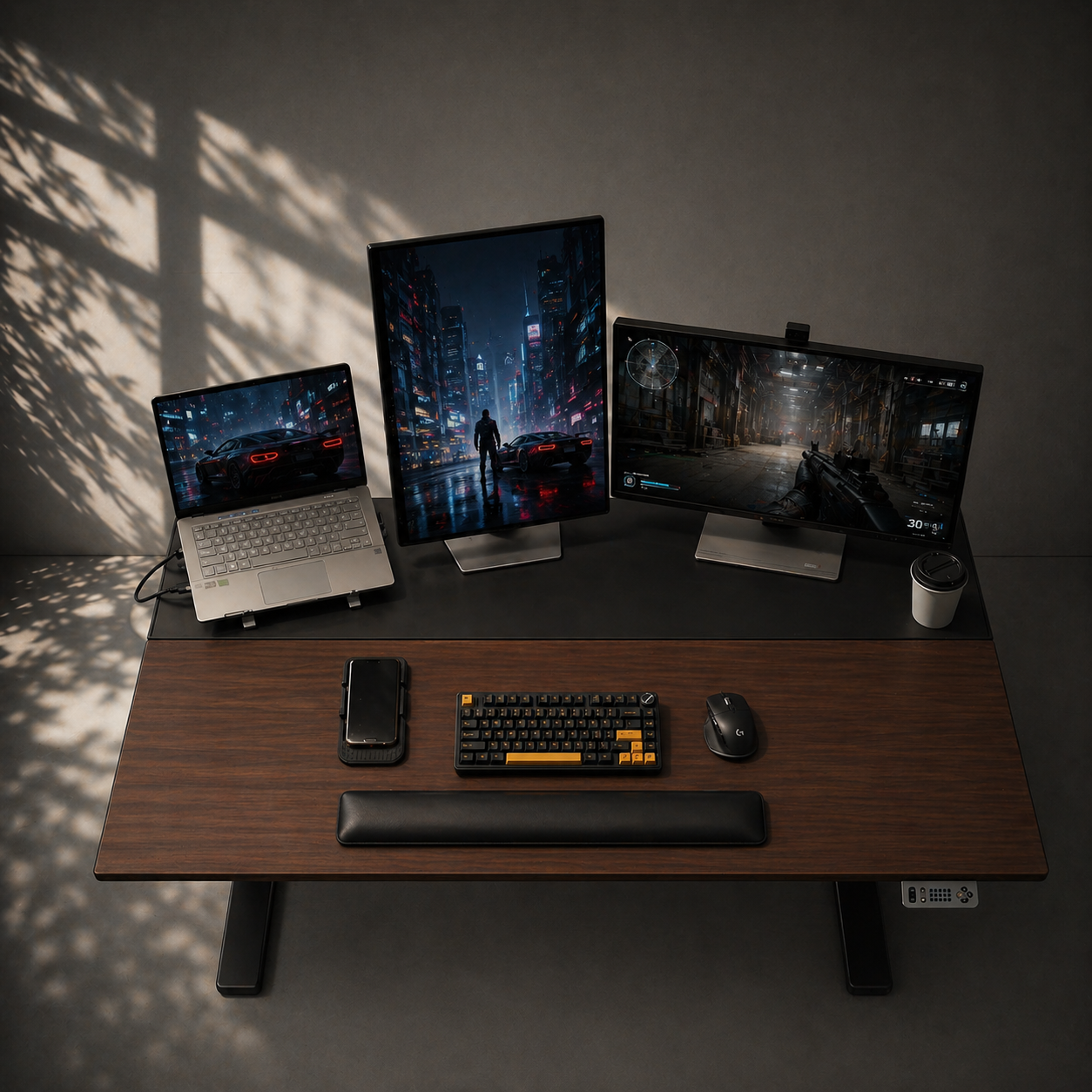
Niture TILT height adjustable standing desk with an adjustable work surface
Quick Decision Guide

Is Niture TILT Right for You?

TILT is for users who want more than a flat worktop that only moves up and down.

Who is TILT for?

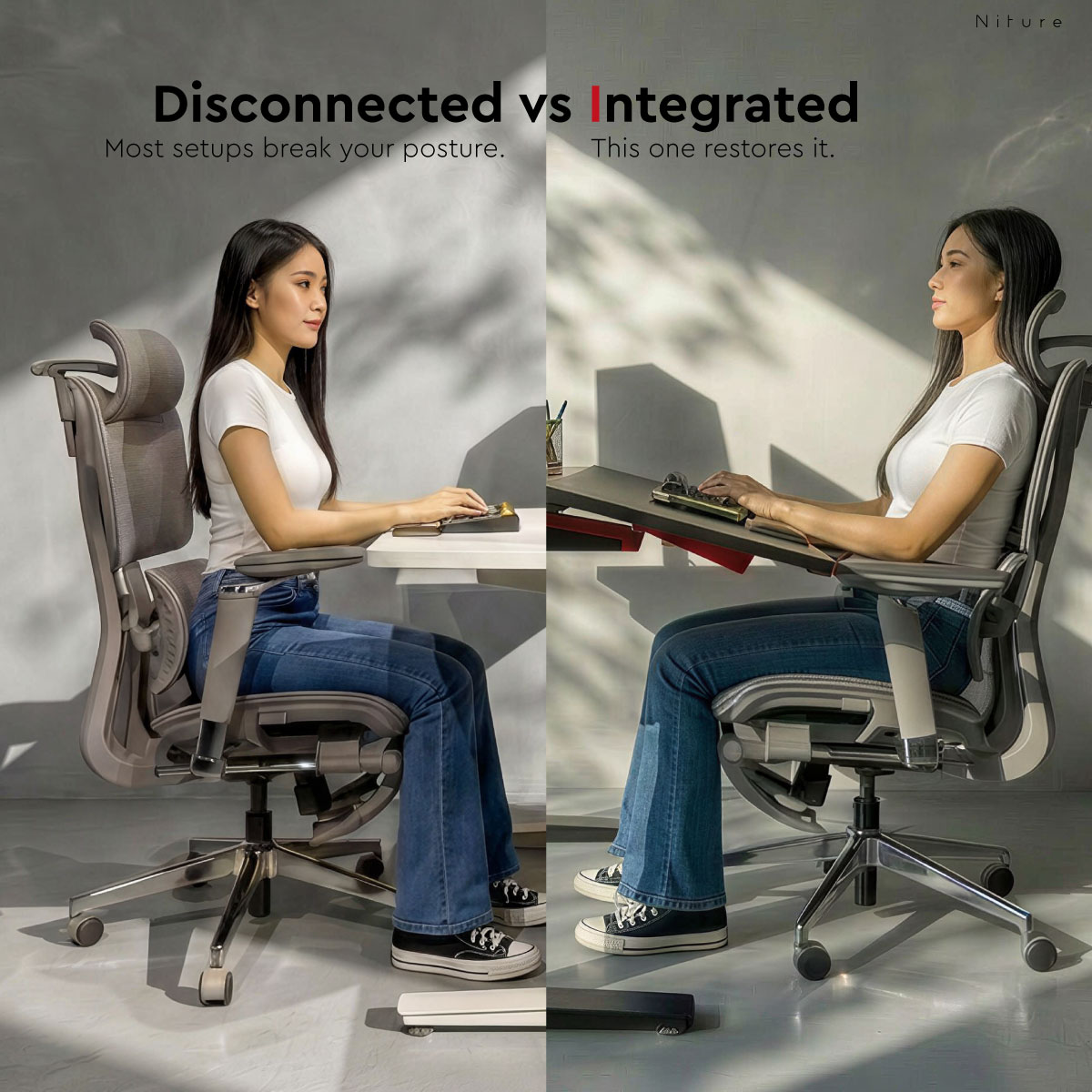
For users who want the desk and chair to work together

Choose TILT when you want to control both the height and the working angle of your desk, particularly if you often move toward the screen and lose contact with your chair during focused work.

  • Home-office and professional users
  • People working six or more hours at a desk
  • Users who alternate between sitting and standing
  • Keyboard, mouse, laptop, tablet, and drawing-device users
  • Users who prefer supported or slightly reclined sitting
  • Buyers building a complete ergonomic workspace

Who may prefer another desk?

A conventional standing desk may be enough for simpler needs

TILT may be more adjustment than you need when the main goal is only to raise and lower a completely flat worktop.

  • You only need basic sit-stand movement
  • You always want the active surface completely flat
  • You want the lowest-cost electric desk option
  • Your equipment requires one uninterrupted fixed surface
  • You do not need separate work and setup zones

The important question is whether controlling the work-surface angle would meaningfully improve the way you sit and work.

Work-surface range 0°–15° adjustable
Height range Approximately 75–122 cm
Available sizes 1400 mm or 1600 mm
Showroom trial Niture Puchong
Official Product Video

See the Niture TILT Desk in Motion

Watch how TILT combines electric height adjustment with a user-adjustable 0°–15° work surface, dual-zone desktop design, four-motor movement and integrated workspace organisation.

01

0°–15° Adjustable Work Surface

See how the active work area moves from a conventional flat position to a more accessible tilted working angle.

02

Four-Motor Adjustment

Explore the powered height and work-surface angle adjustments that distinguish TILT from a normal standing desk.

03

Dual-Zone Desktop

Understand how the tilting work surface and magnetic setup panel separate daily working tools from monitors and equipment.

Illustration explaining how a flat desk can encourage the user to lean forward
The Difference

A Normal Standing Desk Only Changes Height

Height adjustment is useful, but the desk becomes another flat worktop when the user sits down again.

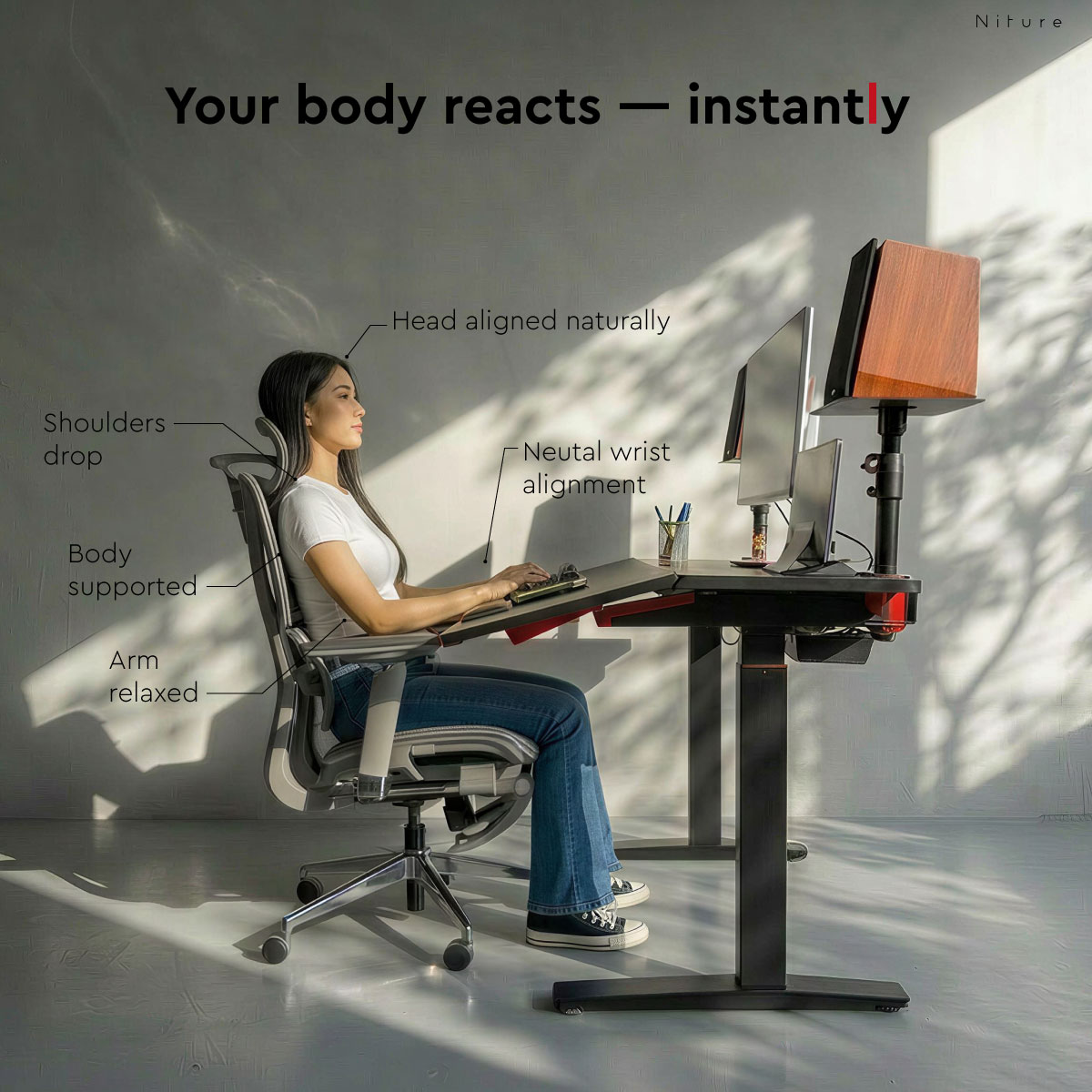
During focused work, the head, shoulders, and arms often move toward the keyboard or screen. As the upper body moves forward, the back can lose contact with the chair’s support.

TILT approaches the problem from the desk side. By allowing the active work surface to move toward the user, it can reduce unnecessary forward reach and make it easier to remain connected with the chair.

Normal standing desk: controls sitting and standing height.
Niture TILT: controls height and the position of the active work surface.
Adjustable Working Angle

Use It Flat. Tilt It When the Task Benefits.

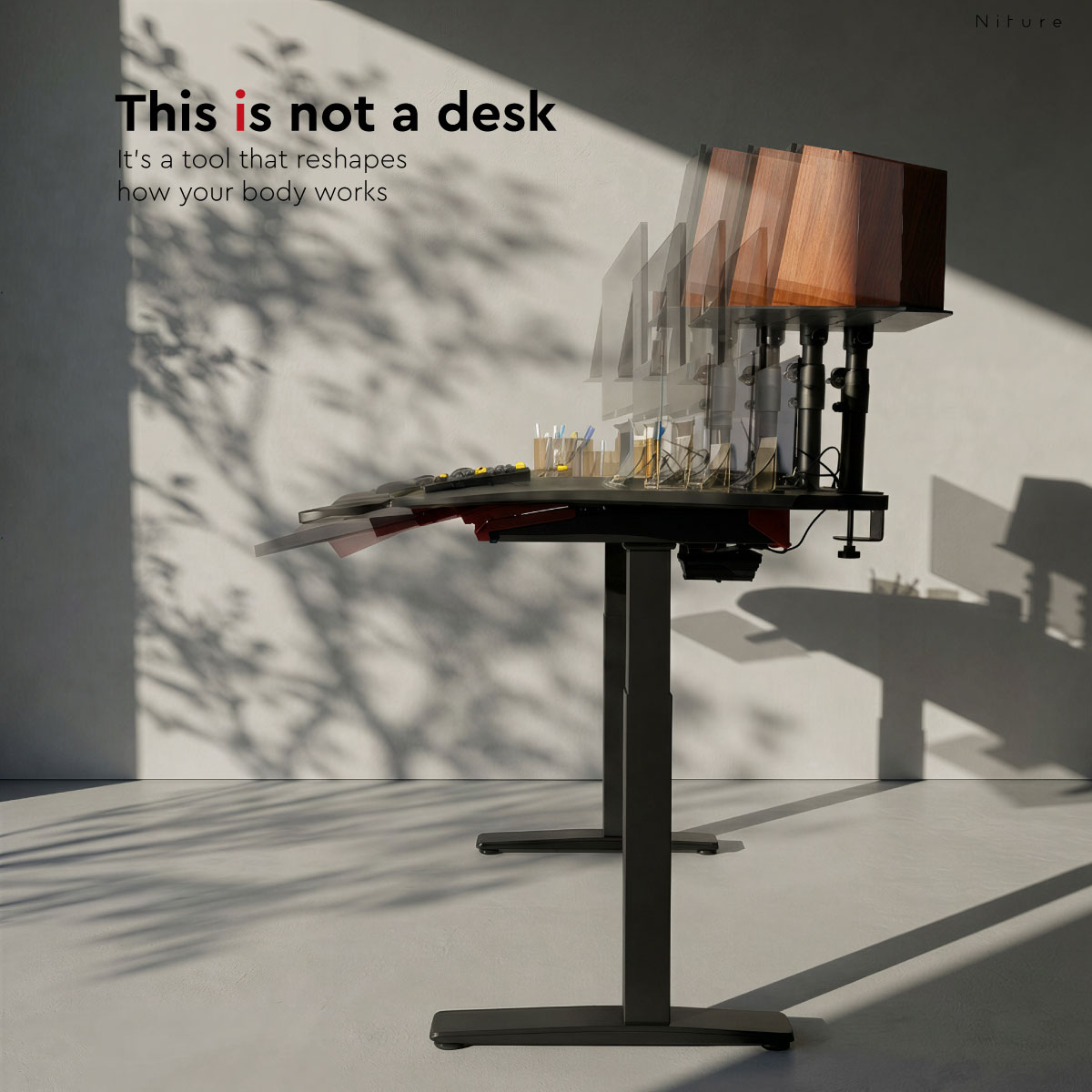
TILT is not permanently fixed at 15°. The work surface can be adjusted anywhere from a conventional 0° position to a maximum 15° angle.

Flat Mode

For handwriting, equipment setup, loose objects, general office work, and users who want a traditional level surface.

1–14°

Personal Working Angle

Introduce only as much angle as needed to bring the keyboard, mouse, tablet, or reading material closer.

15°

Maximum Tilt

Creates the strongest change in the relationship between the user, active work zone, and chair position.

Why make the angle adjustable?

Different tasks require different surfaces. A fixed tilt would make some activities unnecessarily difficult, while a flat-only worktop cannot bring the active zone toward the user.

TILT gives the user control. The best angle depends on the task, equipment, chair position, arm length, and personal preference.

Start at a small angle and increase it gradually. The desk does not need to remain at the maximum 15° position throughout the day.

Niture TILT work surface shown in flat mode and adjustable tilt mode
Four-Motor System

Two Types of Powered Movement

Conventional electric desks normally use their motors only to raise and lower a flat worktop. TILT also controls the angle of the active work surface.

The four-motor architecture supports vertical movement and powered angle adjustment within one integrated desk system.

01

Height Adjustment

Move between approximately 750 mm and 1220 mm for sitting and standing work.

02

Angle Adjustment

Control the active work surface independently from 0° to 15°.

03

LCD Controller

View and control desk movement through the integrated control panel.

04

Memory and Child Lock

Use three memory settings and the child-lock function for daily convenience.

Niture TILT four-motor height and work-surface adjustment system
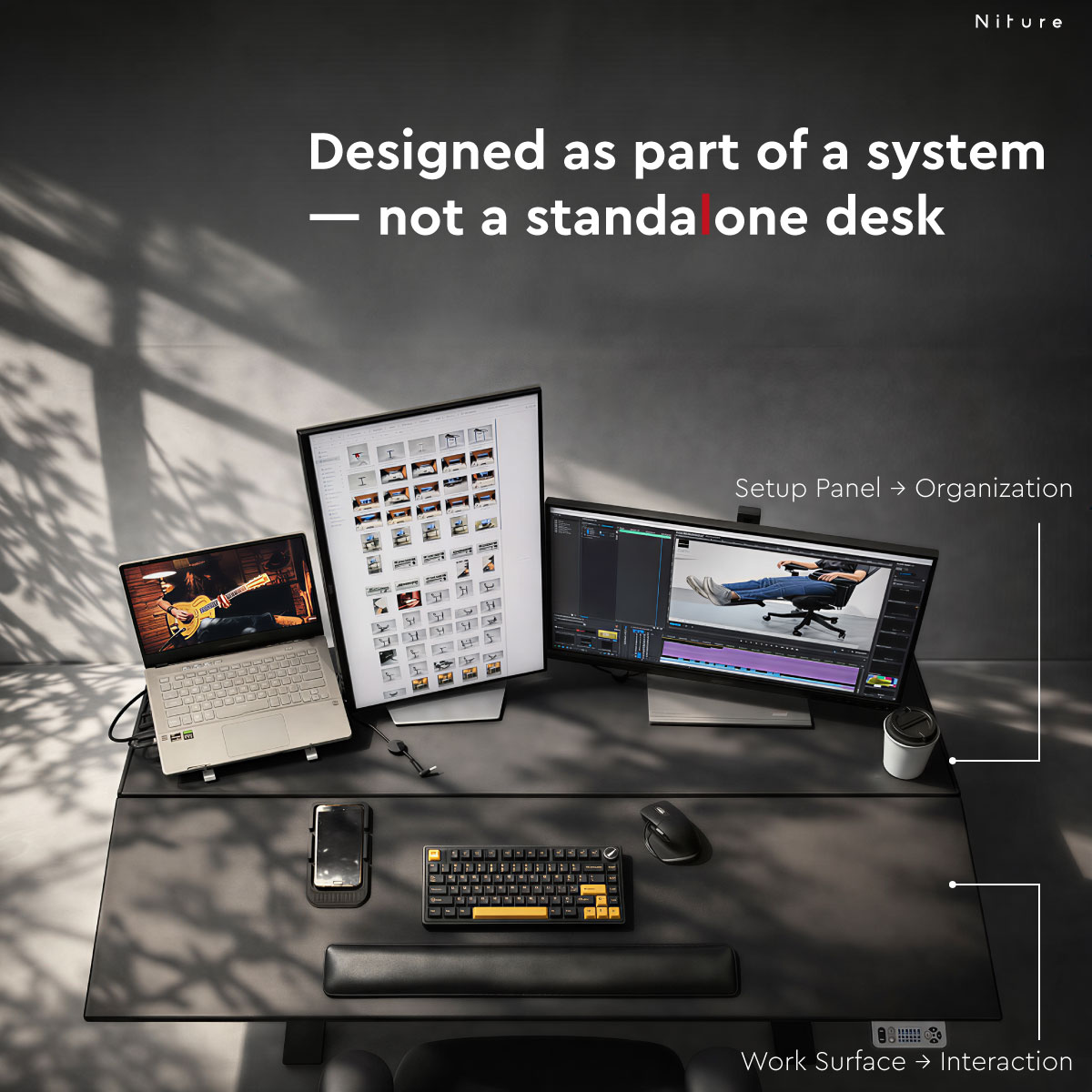
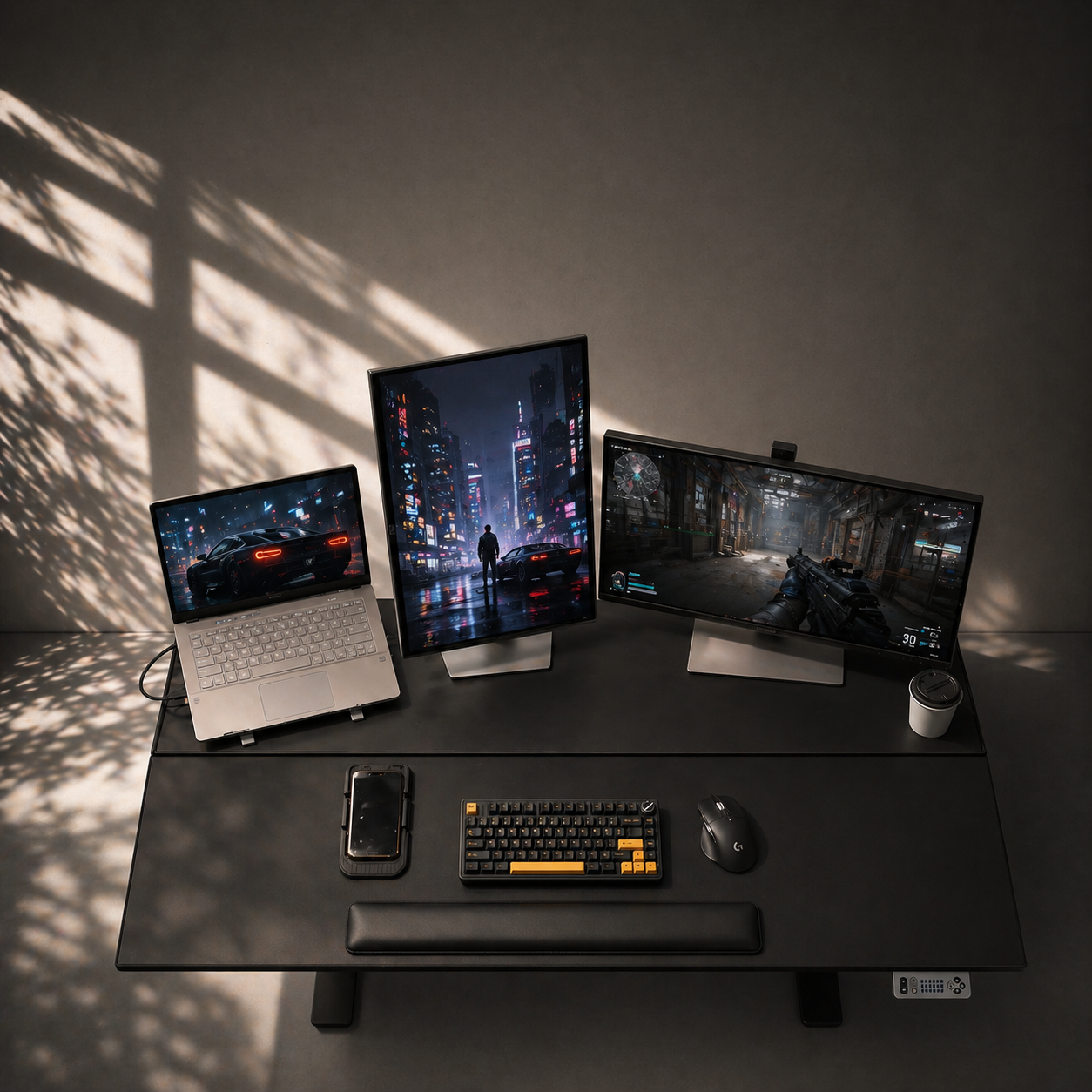
Niture TILT dual-zone surface with tilting work surface and magnetic setup panel
Dual-Zone Worktop

Move the Work Surface Without Tilting the Entire Setup

TILT separates the active working area from the equipment and setup area.

Zone 01

Tilting Work Surface

The active zone for the keyboard, mouse, laptop, tablet, reading, writing, and other daily tasks. Use it flat or adjust it toward the body.

Zone 02

Magnetic Setup Panel

The rear zone for monitors, monitor arms, devices, accessories, cable routing, and magnetic organisation.

This separation is what makes the adjustable work surface practical: the active area can move while the main equipment zone remains organised.

Working Modes

One Desk for Different Ways of Working

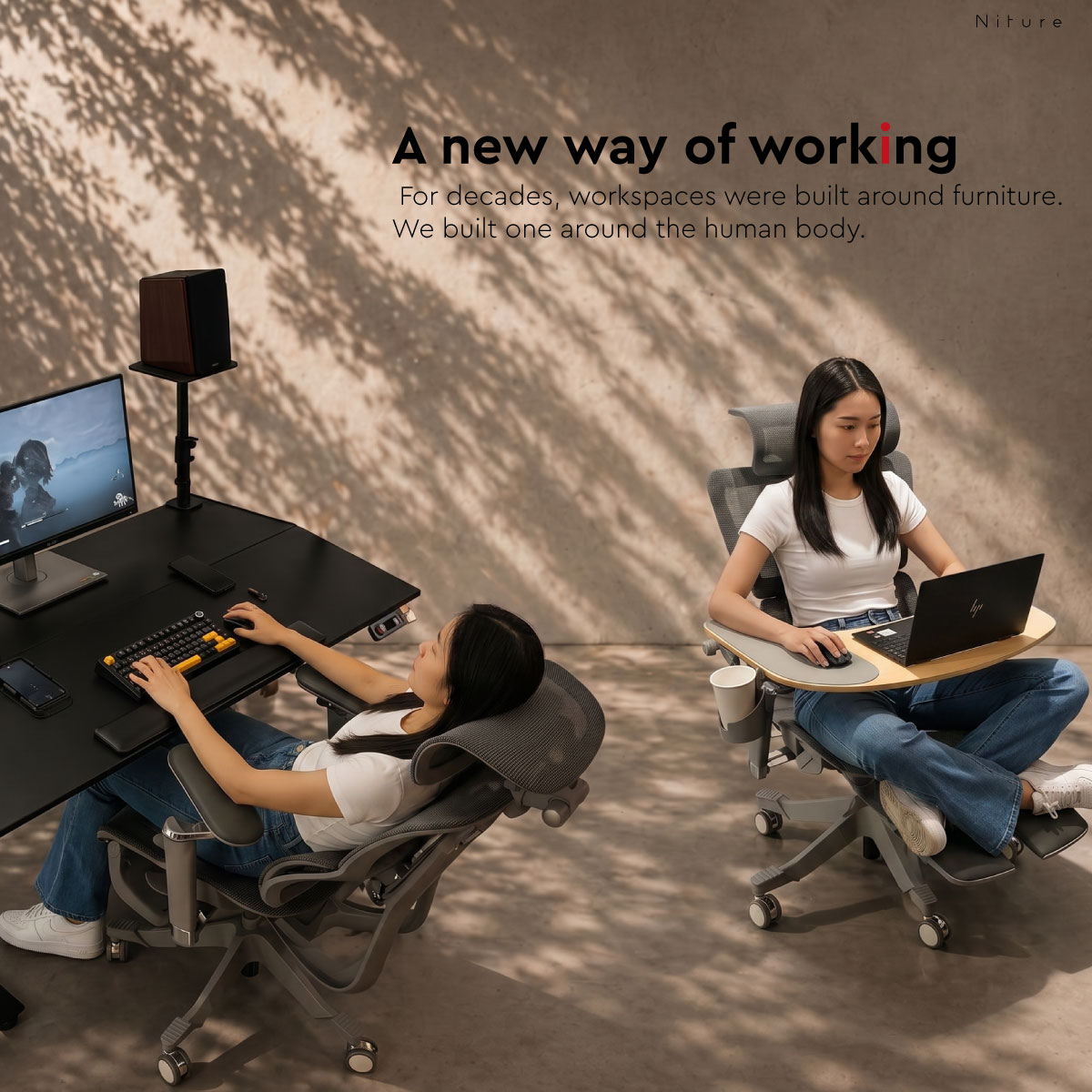
TILT does not prescribe one posture. It gives the user more ways to change height, angle, reach, and chair relationship throughout the day.

Niture TILT used as a flat sitting desk
MODE 01

Flat Sitting

Use the desk as a conventional level work surface for everyday tasks.

Niture TILT used in an angled sitting position with an ergonomic chair
MODE 02

Supported Tilted Sitting

Bring the active work zone closer while remaining connected with the chair.

Niture TILT raised for standing work
MODE 03

Standing Work

Raise the desk and introduce more movement instead of remaining seated all day.

Workspace Compatibility

Plan the Equipment Around the Two Surface Zones

The setup panel is intended for the main equipment, while the adjustable surface is the active zone for the hands and daily work.

M

Monitors and Monitor Arms

Position monitors and compatible monitor arms on the rear setup panel so they remain separate from the tilting work zone.

K

Keyboard and Mouse

Place the keyboard and mouse on the active work surface. Begin with a small angle and use the anti-slip accessories where helpful.

L

Laptops

Laptops can be used on the active zone, but stable placement and the chosen screen angle should be checked before increasing the tilt.

T

Tablets and Drawing Devices

The adjustable surface can bring tablets and drawing devices closer, supporting reading, sketching, and touch-based work.

2

Dual-Monitor Setups

The 1600 mm version offers more horizontal space for multi-monitor and equipment-heavy workstations. Confirm monitor-arm footprint and weight.

80

Total Equipment Load

The listed maximum load is 80 kg. Count the combined weight of monitors, arms, computers, speakers, devices, and accessories.

Equipment dimensions, monitor-arm clamps, and placement vary. Testing your intended setup at the Niture showroom is recommended for larger or unusual workstations.

Worktop Construction

A Durable Surface Designed for Everyday Work

The TILT active work surface uses a premium engineered-wood core finished with seamless vacuum-formed PVC. The continuous finish creates a clean appearance while helping protect the worktop during everyday office use.

01 Premium Engineered-Wood Core

Provides a stable and practical foundation for daily workstation use.

02 Seamless Vacuum-Formed PVC Finish

Wraps the surface with a clean, continuous finish and reduced visible edging.

03 Scratch-Resistant Surface

Designed to withstand normal contact from keyboards, devices and office accessories.

04 Moisture-Resistant Finish

Helps protect the surface from minor spills and everyday moisture exposure.

05 Easy to Clean

The smooth PVC finish can be wiped clean as part of normal desk maintenance.

06 Rounded Edge for Better Comfort

The softened edge creates a more comfortable contact area for the hands and forearms.

Adaptive Accessory System

Designed as a Workstation, Not Only a Desk Frame

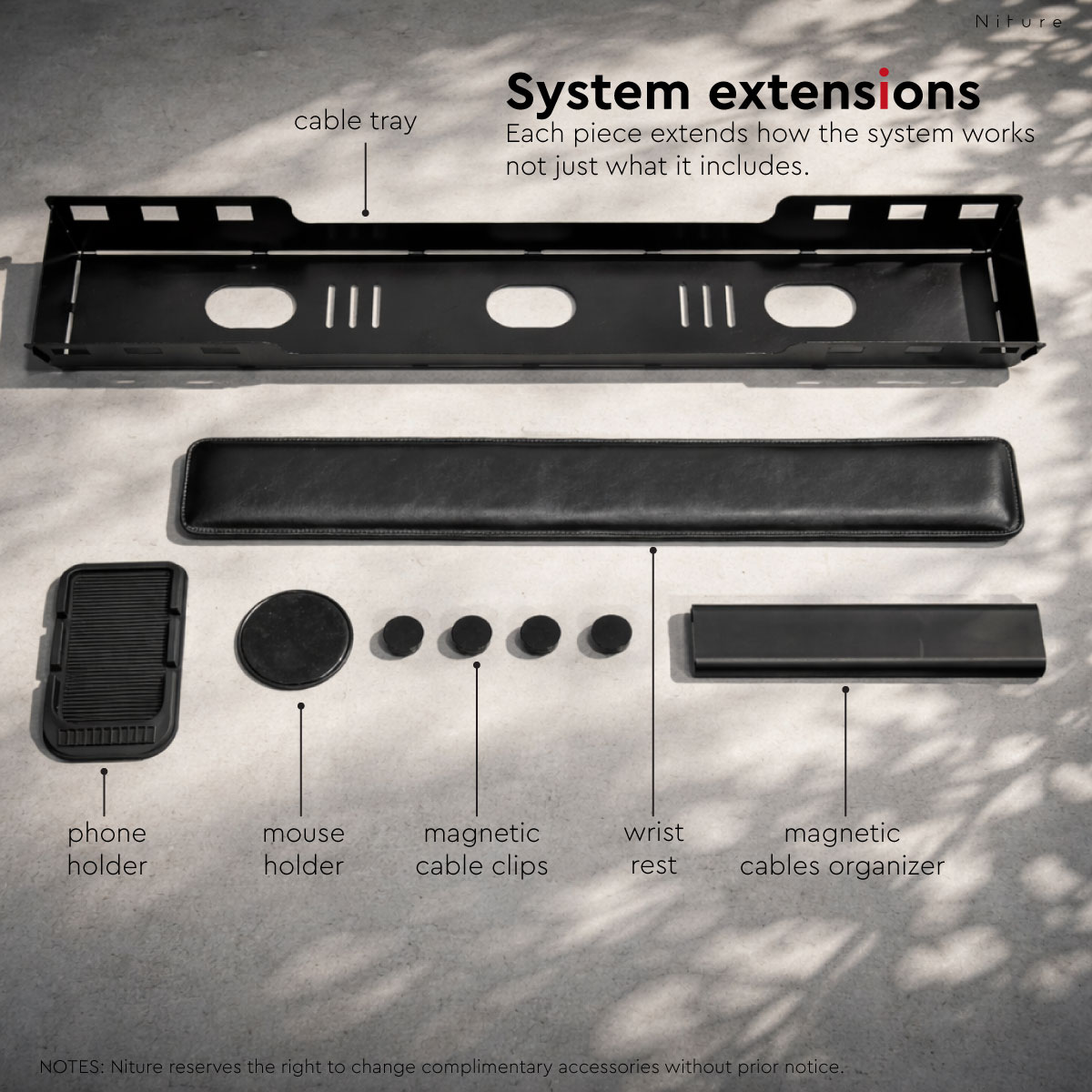
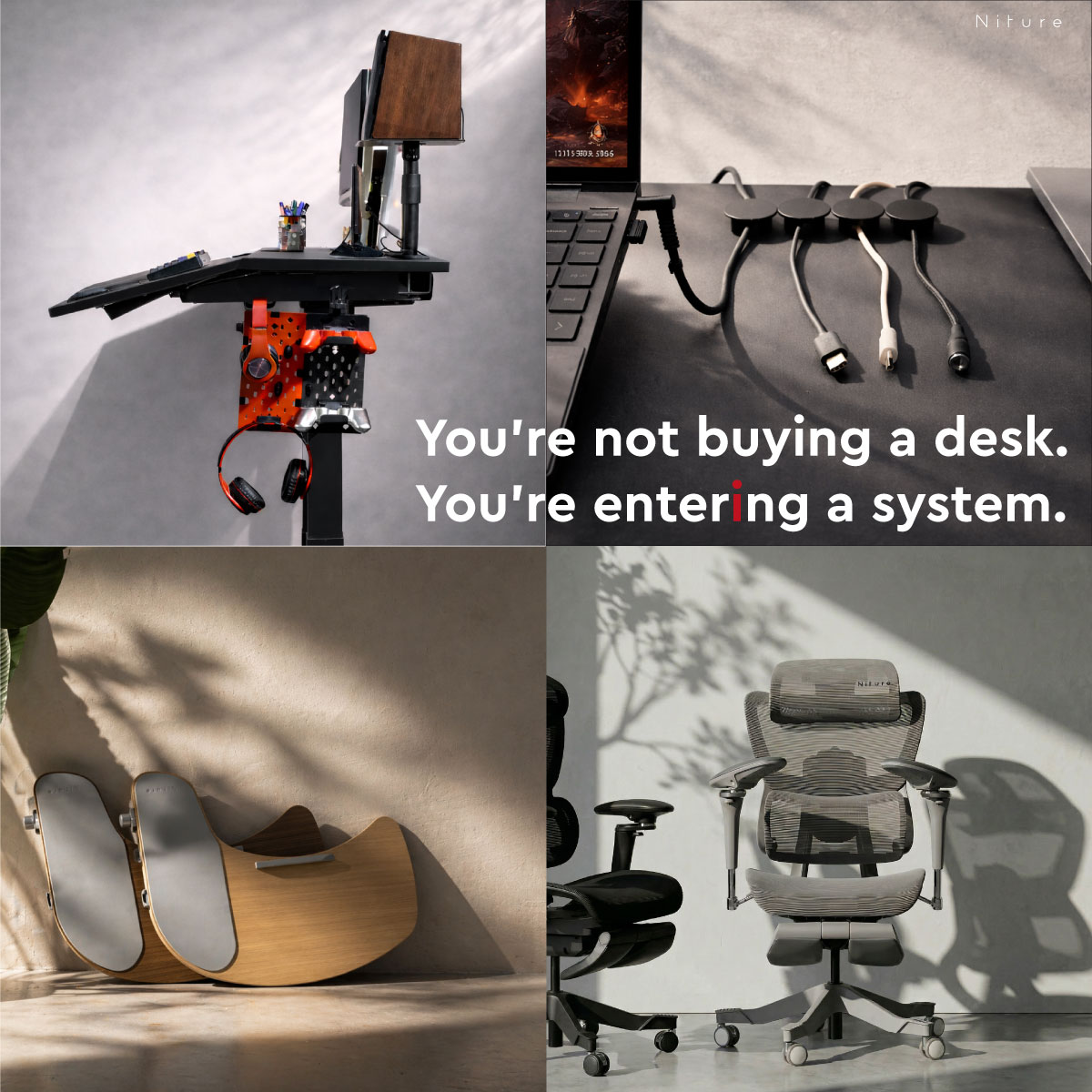
Included accessories help organise cables, support the arms, and keep frequently used devices more stable on the adjustable work surface.

01

PU Arm Pad

Creates a softer support area along the active work surface.

02

Under-Desk Cable Tray

Provides a dedicated area for power strips and cable management.

03

Magnetic Cable Cover

Helps keep cable routing cleaner around the magnetic setup area.

04

Four Magnetic Cable Clips

Guide individual charging, display, and accessory cables.

05

Anti-Slip Phone Holder

Provides a defined position for a phone on the active surface.

06

Anti-Slip Mouse Holder

Helps control mouse placement when an angled surface is used.

Accessories included with the Niture TILT standing desk
Desk Comparison

TILT vs a Normal Height Adjustable Desk

Both desk types support sitting and standing. Their main difference is what happens to the work surface when the user returns to sitting.

Feature Normal Standing Desk Niture TILT
Sitting-height adjustment Yes Yes
Standing-height adjustment Yes Yes
Flat work surface Yes Yes, at 0°
Adjustable work angle Usually no Yes, 0°–15°
Separate work and setup zones Usually no Yes
Active work surface moves toward user No Yes
Magnetic setup panel Usually no Yes
Integrated accessory system Varies Included

Choose a normal standing desk when height adjustment is the only function you need. Choose TILT when control over height, angle, reach, and surface zoning matters to your workspace.

Workspace Fit Guide

Choose the Worktop Size Around Your Equipment

TILT is available in 1400 × 780 mm and 1600 × 780 mm worktop sizes.

1400 mm

More Compact Workspaces

  • Single-monitor arrangements
  • Smaller home offices
  • Moderate equipment requirements
  • Rooms with limited wall width

Measure the room, skirting, nearby doors, chair clearance, and monitor-arm footprint before ordering. The larger desk is not automatically the better fit.

Niture TILT standing desk size and dimension information
Confirm current dimensions and variation availability in the purchase section above.
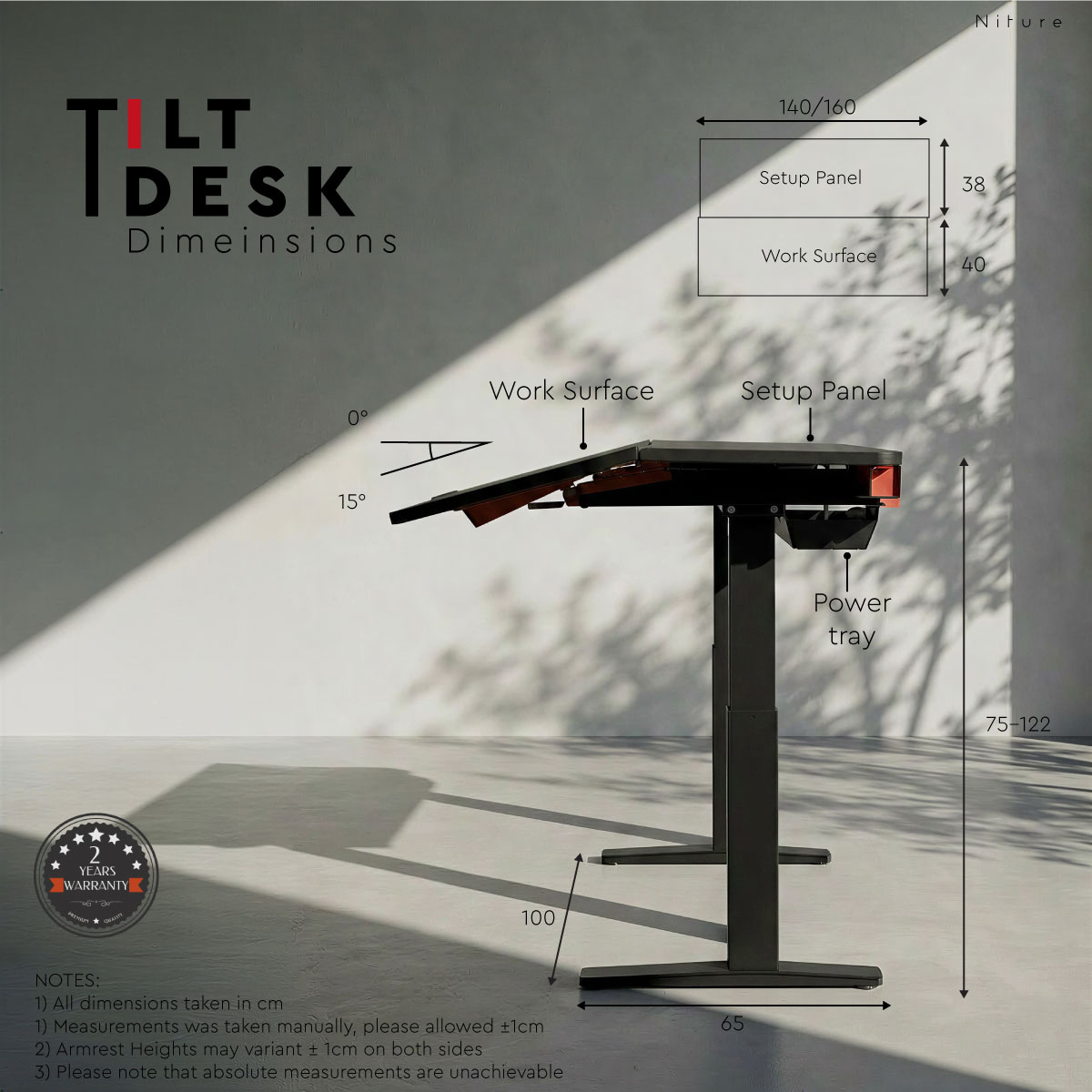
Niture TILT height adjustable desk dimensions in 1400 mm and 1600 mm worktop sizes
Niture TILT is available with either a 1400 × 780 mm or 1600 × 780 mm worktop. Refer to the diagram for the desk’s full height, width, depth and adjustment measurements.
Technical Information

Niture TILT Specifications and Dimensions

Review the available desk sizes, adjustment ranges, worktop construction, motor system and purchase support before choosing your TILT configuration.

01

Size and Adjustment

Choose the worktop size and working position that suits your room, equipment and preferred desk height.

Available worktop sizes 1400 × 780 mm or 1600 × 780 mm
Worktop thickness 20 mm
Height adjustment range Approximately 750–1220 mm
Work-surface tilt range Electrically adjustable from 0° to 15°
Maximum load capacity Up to 80 kg
02

Motor System and Controls

TILT uses powered adjustment for both desk height and active work-surface angle.

Motor system Four-motor powered adjustment system
Adjustment functions Independent height and work-surface angle adjustment
Controller LCD display with three memory settings and child lock
Desktop layout Tilting Work Surface with separate Magnetic Setup Panel
03

Worktop Construction

The active work surface combines a durable engineered-wood core with a smooth finish designed for everyday workstation use.

Worktop core Premium engineered wood
Surface finish Seamless vacuum-formed PVC
Surface protection Scratch-resistant and moisture-resistant
Maintenance Smooth, easy-to-clean surface
Edge design Rounded front edge for more comfortable hand and forearm contact
Available finishes Black, White and Walnut
04

Delivery and Product Support

Delivery arrangements and warranty coverage vary according to the destination and service requirements.

West Malaysia Free delivery and professional installation
East Malaysia Contact Niture to confirm availability, charges and installation
Warranty period Two years
Warranty coverage Motors, desk structure and control panel
Showroom testing Available at the Niture Puchong showroom
Niture TILT height adjustable standing desk dimensions in 1400 mm and 1600 mm worktop sizes
TILT is available with either a 1400 × 780 mm or 1600 × 780 mm worktop. Refer to the diagram for the desk’s width, depth, height and adjustment measurements.
Choosing your size: The 1400 mm model suits more compact workspaces and conventional single-monitor setups. The 1600 mm model provides additional width for larger monitors, multiple devices or more complex workstation arrangements.
Purchase Support

Delivery, Installation and Warranty

TILT includes free delivery and installation across West Malaysia, together with two-year warranty coverage for essential desk components.

West Malaysia Free Delivery and Installation

Every TILT order delivered within West Malaysia includes free delivery and professional installation by the appointed service team.

After assembly, the desk can be checked for height movement, work-surface tilt adjustment, controller operation, and general stability before use.

East Malaysia Contact Niture Before Ordering

Delivery arrangements for Sabah, Sarawak, Labuan, islands, and other locations outside West Malaysia may differ because of the desk’s size, weight, and installation requirements.

Contact Niture to confirm delivery availability, applicable charges, and installation arrangements before completing your order.

Product Protection Two-Year Warranty

TILT includes a two-year warranty covering the motors, desk structure, and control panel, subject to Niture’s warranty terms, usage requirements, and exclusions.

Keep your proof of purchase and contact Niture if the desk develops an eligible operational or structural issue during the warranty period.

Special access conditions, restricted premises, rescheduled appointments, or locations requiring additional handling may require advance arrangement. Contact Niture before ordering when your delivery location has unusual access requirements.

Frequently Asked Questions

Niture TILT Questions and Answers

What makes TILT different from a normal standing desk?

A normal standing desk adjusts vertically while keeping a flat worktop. TILT adds an electrically adjustable 0°–15° active work surface and a separate setup panel for monitors, devices, and cable organisation.

Is the Niture TILT permanently fixed at 15°?

No. The active work surface can be used completely flat at 0° or adjusted to any suitable position up to a maximum of 15°.

Can TILT be used like a normal flat desk?

Yes. Return the work surface to 0° whenever writing, equipment placement, or another task benefits from a conventional level surface.

Why does TILT use four motors?

TILT provides two powered forms of movement: vertical height adjustment and active work-surface angle adjustment. The four-motor system supports these functions within one desk structure.

Will the keyboard and mouse slide when the desk is tilted?

The desk includes an anti-slip mouse holder and PU arm pad. The surface does not need to be used at the full 15° angle; start with a smaller angle and adjust it according to the equipment and way you work.

Can I use monitor arms with TILT?

Compatible monitor arms can be positioned on the rear setup panel. Check the clamp design, footprint, equipment weight, and intended placement before installation.

Which size should I choose?

The 1400 mm version suits more compact rooms and simpler setups. The 1600 mm version provides more horizontal room for multiple monitors, monitor arms, and equipment-heavy workstations.

What chair pairs well with TILT?

Hammock 2 is an accessible pairing for everyday ergonomic support. The SINC Series is better suited to users seeking more advanced movement support for longer sitting sessions. Chair choice should still be based on body proportions and support preference.

Can I test TILT before purchasing?

Yes. TILT can be tested at the Niture showroom in Puchong. A physical trial helps you compare flat and tilted positions and understand how the desk interacts with different ergonomic chairs.

Niture Puchong Showroom

Feel the Difference Between a Flat and Tilted Work Surface

The effect of the adjustable work surface is easier to understand through the body than through photographs or specifications alone.

Test different angles, compare both worktop sizes, review equipment placement, and experience TILT with Hammock 2 and the SINC Series before deciding.

Showroom location Niture Puchong, Selangor
Opening hours Monday–Sunday · 11:00 AM–5:00 PM
What you can test Height, tilt angle, worktop size, accessories, and chair pairing
General visits Walk-ins are welcome during operating hours
Learn More About TILT

Understand the Desk Before You Buy

TILT Summary

A Desk That Controls Height, Angle, and Reach

A conventional standing desk helps the user alternate between sitting and standing. Niture TILT adds control over the active work-surface angle, allowing the work zone to move closer while the rear setup zone remains organised.

It is best for users who want the chair, desk, and working interface to operate as one connected ergonomic system rather than as separate pieces of furniture.

0°–15° adjustable work surface
Four-motor powered adjustment
Dual-zone work and setup surface
1400 mm and 1600 mm sizes
Free Klang Valley delivery and installation

Reviews

There are no reviews yet.

Only logged in customers who have purchased this product may leave a review.

Not sure which ergonomic chair to choose? Use our smart filter to quickly narrow down options by features, materials, and comfort preferences. Search Now...

Payment Options

Choose the payment method that suits you best. We accept Visa, Mastercard, FPX, and Buy Now Pay Later (BNPL) options.

Enjoy peace of mind with our reliable warranty coverage. Our dedicated support team is always ready to assist with after-sales service. Learn More...

Shipping & Delivery

Get your ergonomic furniture delivered safely and on time. We provide fast, secure, and trackable shipping options to ensure your order reaches you in perfect condition.

34% OFF

Price range: RM1,900.00 through RM2,000.00

Not sure which ergonomic chair to choose? Use our smart filter to quickly narrow down options by features, materials, and comfort preferences. Search Now...

Payment Options

Choose the payment method that suits you best. We accept Visa, Mastercard, FPX, and Buy Now Pay Later (BNPL) options.

Enjoy peace of mind with our reliable warranty coverage. Our dedicated support team is always ready to assist with after-sales service. Learn More...

Shipping & Delivery

Get your ergonomic furniture delivered safely and on time. We provide fast, secure, and trackable shipping options to ensure your order reaches you in perfect condition.

Related Products
13% OFF
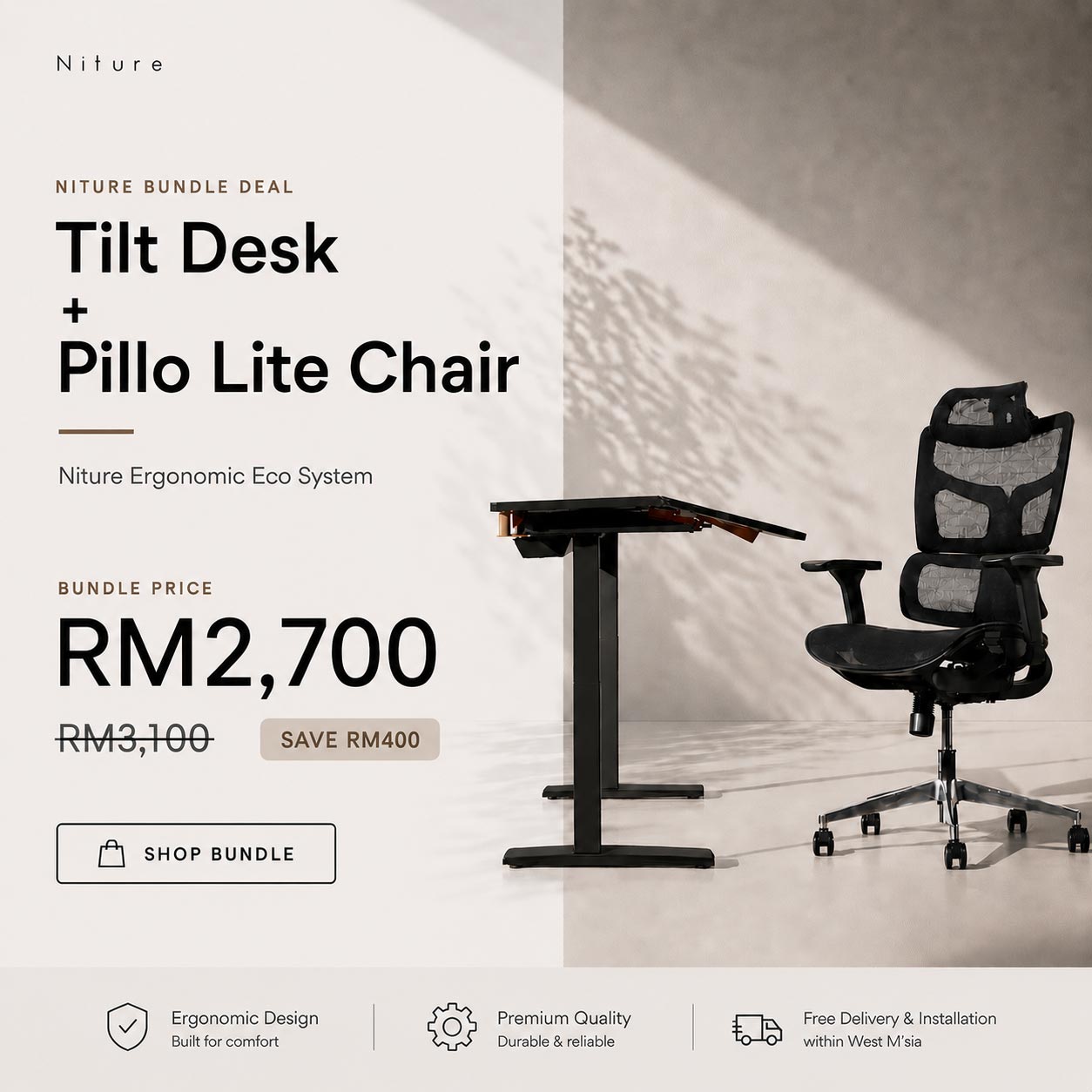
The essential bundle tilt desk with pillo lite chair

Niture Essential Bundle

Price range: RM2,700.00 through RM2,800.00

Select options This product has multiple variants. The options may be chosen on the product page
17% OFF
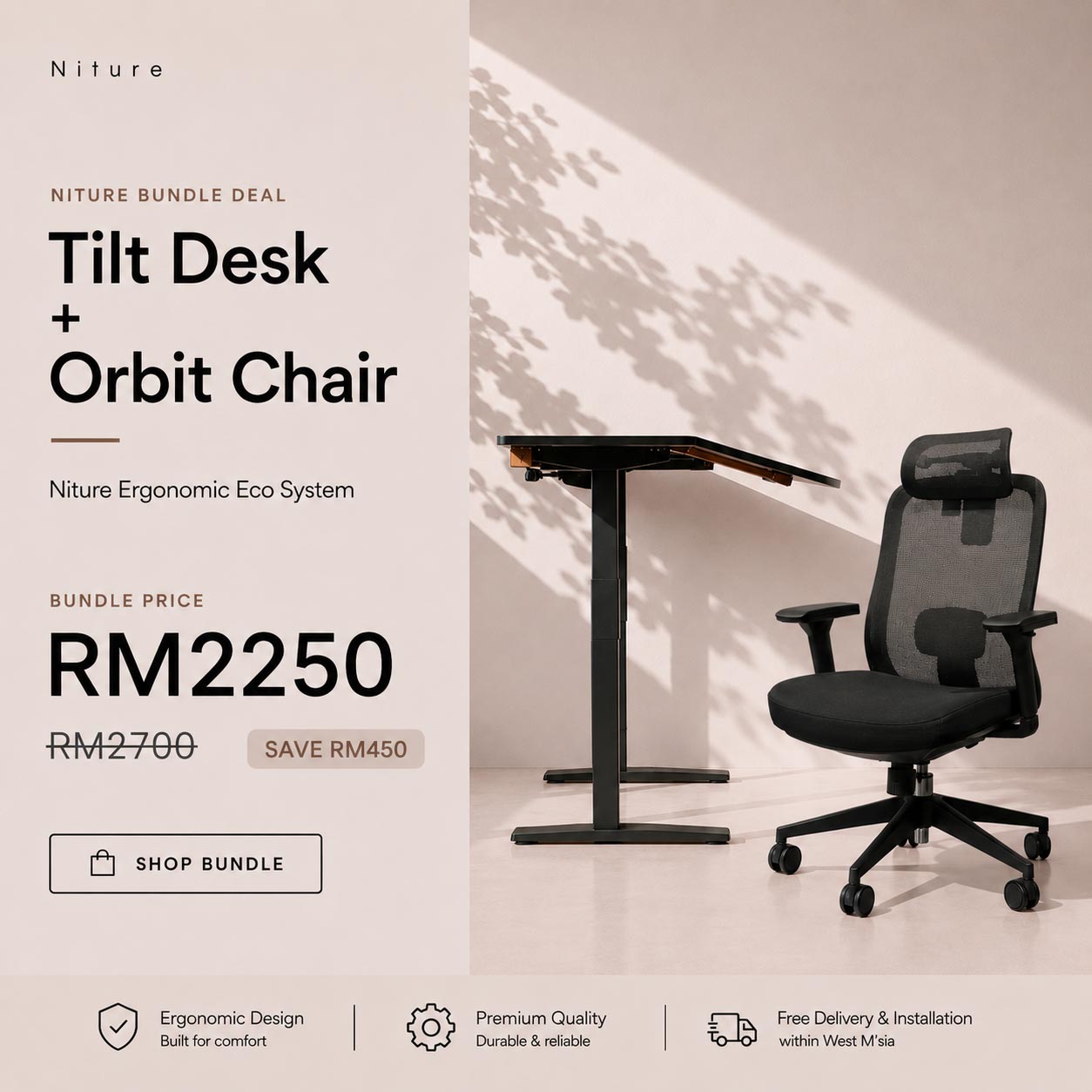
Niture value bundle tilt desk with orbit chair

Niture Value Bundle

Price range: RM2,250.00 through RM2,350.00

Select options This product has multiple variants. The options may be chosen on the product page