
The real ergonomic chair test
Words Lie. Your Body Doesn’t: How to Test an Ergonomic Chair
An ergonomic label can describe a chair. It cannot tell you whether that chair fits your body.
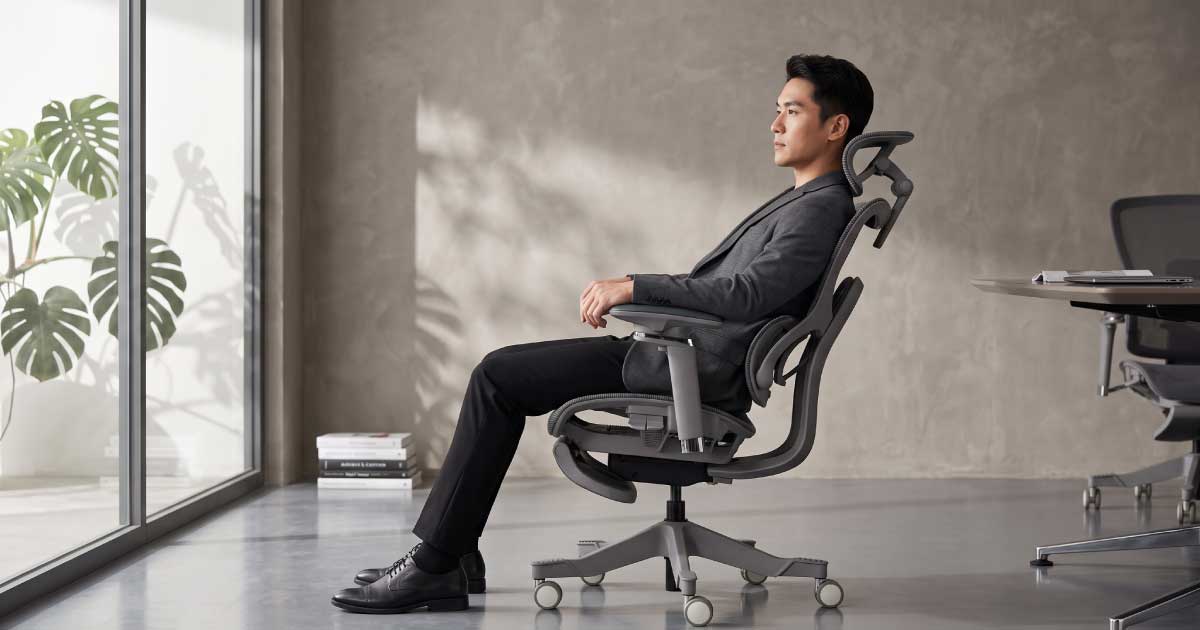
An ergonomic label can describe a chair. It cannot tell you whether that chair fits your body.
Almost every office chair now claims to be ergonomic.
Product pages describe adjustable lumbar support, reclining mechanisms, breathable mesh, headrests, armrests and numerous adjustment settings.
These features can be useful. But their presence does not confirm that the chair will fit your legs, back, shoulders, neck or preferred way of sitting.
Two people can use the same chair and experience it very differently. One may feel balanced and supported. The other may experience pressure behind the knees, a lumbar support that sits too high or a headrest that pushes the head forward.
This is why specifications should help you select which chairs to test—not make the entire decision for you.
Specifications create understanding. Your body confirms the fit.
Adjust the chair for your body, then test it in more than one position.
Do not judge a chair from one upright showroom pose. Sit as you would actually work, read, focus, recline and change position.
Your body cannot verify construction or specifications. It can provide immediate feedback about physical fit.
Does the seat edge press into your legs or concentrate pressure beneath the thighs?
Does the lumbar support meet the intended lower-back area without pushing too hard?
Do your shoulders, arms, neck and feet settle into usable positions?
Does the chair stay supportive as you lean, shift and recline?
This feedback is practical information about the relationship between your body and the chair. It should not be treated as a medical diagnosis.
An incorrectly adjusted chair can feel unsuitable even when its dimensions are compatible with your body.
If several settings must be pushed to their maximum limits just to make the chair usable, its fitting range may not be suitable for you.
Your feet should rest securely on the floor. If the chair must remain higher for a fixed desk, use a stable footrest.
Chair height and desk height must be considered together. A chair cannot create a comfortable working position if the desk continually pulls the arms and shoulders upward.
A suitable seat depth supports most of your thighs while leaving clearance behind your knees.
Two to three fingers of clearance is a useful starting check—not a universal measurement. Body shape and seat-edge design also matter.
Lumbar support is not simply a visible curve or a large pad. Its position, depth, shape and response must suit the user.
More lumbar pressure is not automatically better. Some users prefer firmer contact; others respond better to broader, gentler or more adaptive support.
Good lumbar support should meet the body. It should not force the body to meet it.
A chair can support the lower back while still feeling wrong around the shoulders.
A tall-looking backrest is not necessarily suitable for every tall user. Torso length, shoulder width and the position of the backrest’s curves are more informative than overall chair height.
The important question is not how high the headrest extends. It is whether the support reaches the intended area in the positions where you expect to use it.
Does it meet your neck or head without forcing you to reach backward?
Can it move away when unused, or does it push your head forward?
Does its curve remain useful when you lean into your preferred recline?
People of the same total height can have different torso lengths and neck positions. Always test height, depth and angle before deciding that a headrest design is unsuitable.
Armrests should support the forearms without forcing the shoulders upward or pushing the elbows far away from the body.
The shoulders lift, the neck feels tense or the elbows cannot settle naturally.
You lean sideways to reach the support or the forearms remain unsupported.
The elbows spread away from the torso and the shoulders rotate outward.
Armrests must also work with the desk. If they block the chair from approaching the work surface, you may lean forward and lose backrest contact.
People do not remain in one fixed position. A useful chair should accommodate the movements relevant to your work.
Notice whether the chair remains stable, whether back support stays usable and whether you can change position without fighting the mechanism.
Niture’s SINC family combines synchronized tilt with a Smart-Glide backrest designed to increase lower-back contact as the user moves into recline.
The Hammock family uses a more conventional controlled-recline experience. The better direction depends on how you sit and what support character you prefer.
The purpose is not to find one perfect posture. It is to see whether the chair supports the positions you actually use.
A soft seat may feel pleasant immediately but provide insufficient support later. A prominent lumbar pad may feel impressive for several minutes but become intrusive during longer use. A firmer seat may initially feel unfamiliar yet distribute pressure more evenly for a particular user.
You do not need to recreate an entire working day in the showroom. But you should move beyond the first few seconds of upright sitting.
A chair may require further adjustment—or may not suit you—when these problems repeatedly remain.
One brief sensation does not always mean the chair is unsuitable. Adjust the relevant feature and test again. If the problem remains, compare a design with different dimensions, support geometry or movement behaviour.
Two people who are both 175 cm tall can require different chairs or different settings.
A person with longer legs may need greater seat-depth range. Someone with a longer torso may require higher back or head support. Niture therefore uses height guidance as a starting point—not as a promise of universal fit.
“Words lie. Your body doesn’t” does not mean specifications should be ignored.
Explain dimensions, adjustment ranges, load capacity, materials, recline functions and warranty coverage.
Supports relevant product, component, durability and material claims within the scope of each report.
Shows how the chair’s dimensions and support systems interact with your body and sitting habits.
Do not choose between evidence and experience. Use both.
A chair may fit your body but still produce an awkward working position when paired with a desk that is too high, too low or difficult to approach.
| Relationship | What to check | Warning sign |
|---|---|---|
| Arms and work surface | Forearms approach the surface comfortably. | Shoulders lift or arms reach upward. |
| Chair and desk edge | Chair can move close enough for supported work. | Armrests block access and the body leans forward. |
| Leg clearance | Knees and legs can move beneath the desk. | Drawers, frames or equipment restrict movement. |
| Screen position | Screen can be viewed without excessive head movement. | Neck is held far upward, downward or to one side. |
This is why Niture considers the chair, desk and working interface as connected parts of an ergonomic ecosystem.
A longer list of adjustments does not automatically make one chair better for every user.
The best choice is not necessarily the chair with the most features. It is the chair whose useful features reach the right places on your body.
At the Niture showroom in Puchong, you can test all current Niture ergonomic-chair models and compare different approaches to fit, support and movement.
Monday–Sunday
11:00 AM–5:00 PM
Public-holiday hours may vary. Check with Niture before visiting on a public holiday.
Ergonomic-chair fitting can help evaluate product dimensions, adjustment range, support position and compatibility with your normal sitting habits.
It cannot diagnose, treat or cure back pain, neck pain or another medical condition.
If you experience persistent pain, numbness, weakness, radiating symptoms or discomfort that concerns you, consult an appropriately qualified healthcare professional.
A better-fitted workspace may help reduce avoidable workstation strain for some users, but no chair can guarantee a medical outcome.
Practical answers about chair fit, adjustment and showroom testing.
Spend enough time to adjust the chair, test multiple positions and move beyond the first impression. Compare several suitable chairs and, where possible, return to the first model after testing the others. A showroom test cannot reproduce an entire working day, but it should include more than a few seconds of upright sitting.
The seat should support most of your thighs without pressing against the back of your knees. Approximately two to three fingers of clearance is a useful starting check, but seat shape, body proportions and comfort should also be considered.
Lumbar support should create useful contact without producing an uncomfortable pressure point or pushing you away from the backrest. Some users prefer firmer support, while others respond better to broader or gentler contact.
The correct contact point depends on the headrest’s purpose and design. Some are intended to support the neck, while others primarily support the head during recline. It should reach its intended area without pushing your head into an unnatural position.
No. More adjustments provide greater fitting possibilities, but only when their ranges reach your body and the controls are practical to use. A simpler chair that fits correctly may be a better choice than a highly adjustable chair with unsuitable dimensions.
Yes. People of the same height can have different leg lengths, torso lengths, shoulder widths, hip widths and neck positions. Height should be used as an initial guide rather than a complete fitting decision.
Yes, but the decision carries more uncertainty. Compare detailed dimensions, adjustment ranges, load capacity, warranty and return conditions. When possible, test the chair or choose a seller that provides clear fitting guidance.
All current Niture ergonomic-chair models are available for testing at the Puchong showroom. General fittings are free, and no appointment is required for ordinary walk-in visits during operating hours. An appointment may be needed if you request a particular consultant.
The practical checks in this guide are consistent with established workstation guidance covering seat depth, thigh support, lumbar positioning, relaxed shoulders, armrest adjustment and stable foot support.
Individual requirements vary. These resources provide general workstation guidance rather than personal medical advice.
A product name can attract attention. A feature list can create interest. A specification table can help you form a shortlist.
But none of these can feel where the seat meets your legs, where the lumbar support contacts your back or whether the headrest reaches your neck.
Adjust the chair. Sit in it. Lean forward. Recline. Shift your weight. Return to work.
Words lie.
Your body doesn’t.
The strongest decision uses both experience and evidence.
Compare chair families by body fit, support preference, movement and budget.
Compare Niture Chairs →Understand why leg and torso proportions can matter more than height alone.
Read the Fit Guide →See what physical testing can reveal that specifications cannot.
Explore Chair Fitting →Review selected documentation relating to Niture products and components.
View Test Reports →